COMMUNITY BENCHMARK
Turning static data into goals winery managers actually use
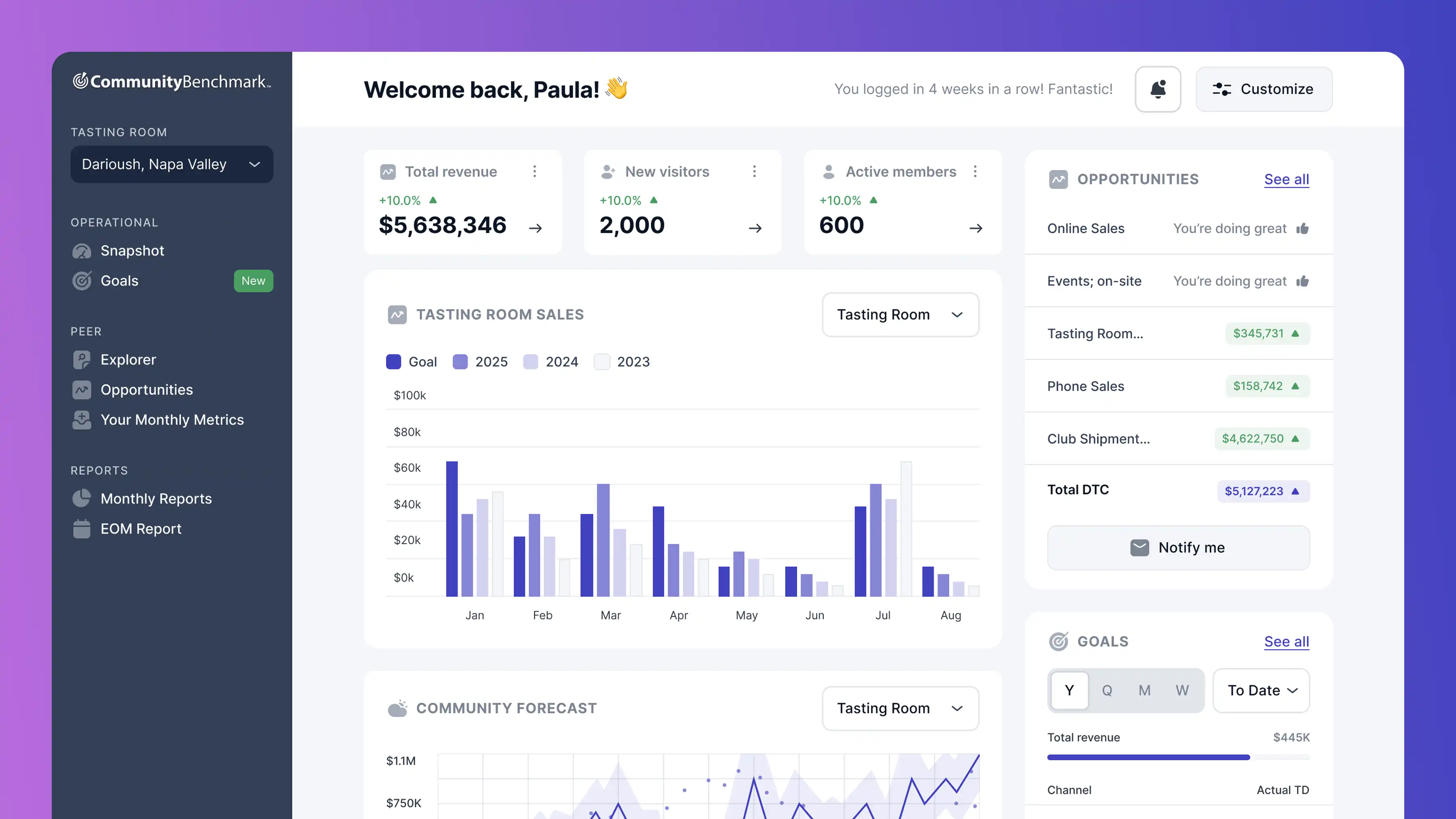
Community Benchmark is a DTC analytics platform that helps winery tasting room managers track sales, compare performance against peers, and find growth opportunities. I joined mid-project to design the goal-setting and forecasting features. The core problem: a third of accounts weren't logging in regularly, and the product was at risk of being seen as non-essential. I worked with a design lead, a PM, and three developers, with limited backend flexibility, so the focus was on UX improvements that could deliver quick, high-impact results.
Goal-setting feature designed and shipped
Forecasting added to support data-driven decisions
Collaborative workshop realigned team on MVP scope
PROBLEM AREA
Drowning in spreadsheet data
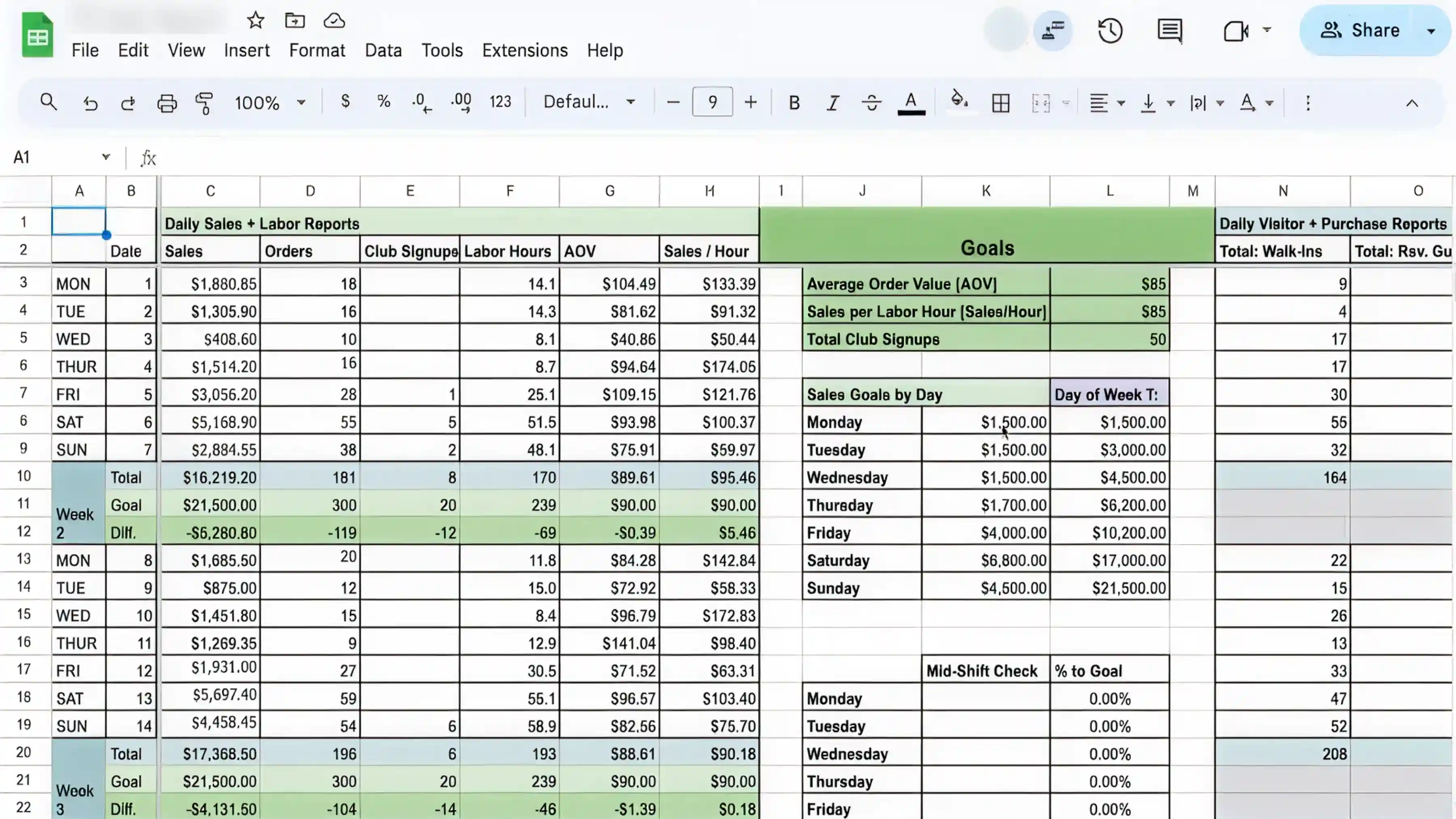
Tasting room managers were tracking daily sales, labor hours, goals, and visitor data in spreadsheets like this one. Comparing weeks of data or spotting trends meant scrolling through rows of raw numbers. Without benchmarks or context, decisions were based on guesswork.
A third of accounts had stopped logging in regularly. Competitors were starting to build similar solutions. The product needed to become something managers couldn't run their business without, or we risked being replaced.
DESIGN DECISION
Why goal setting shouldn’t feel like Excel
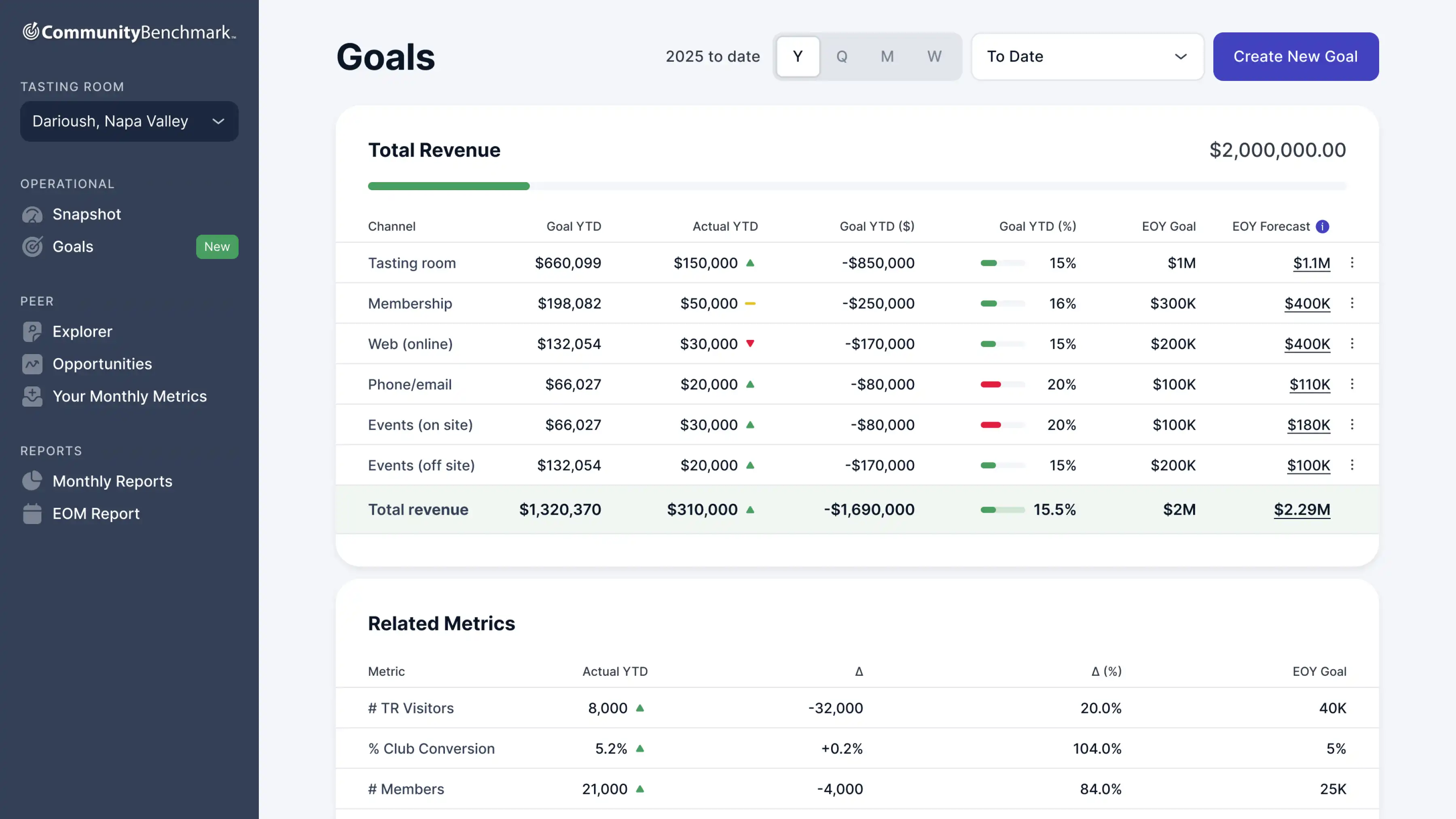
In spreadsheets, managers were setting goals across multiple metrics at once, juggling channels, timeframes, and targets in the same view. I simplified it to one goal at a time: pick a channel, set a target, and immediately see how that channel performed historically. One decision, one screen.
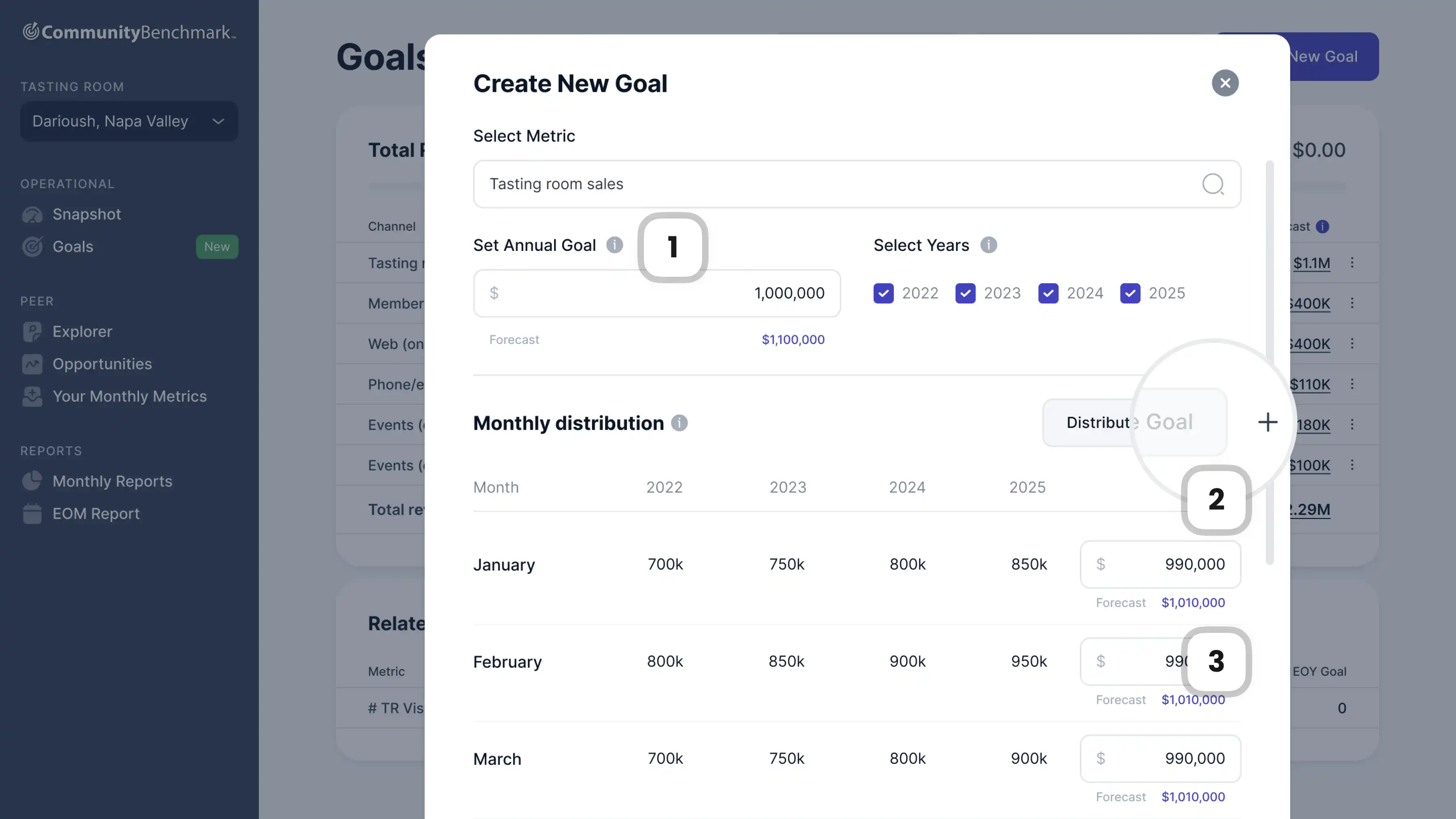
1
Contextual guidance exactly where users need it, without overwhelming the screen with instructions.
2
Disabled by default. Pressing "+" expands the section and activates the button, letting users optionally distribute their goal across months.
3
Appears after goal distribution, showing expected performance. Helps users set realistic targets and gain insights only when relevant.
DESIGN DECISION
When the team hit reset
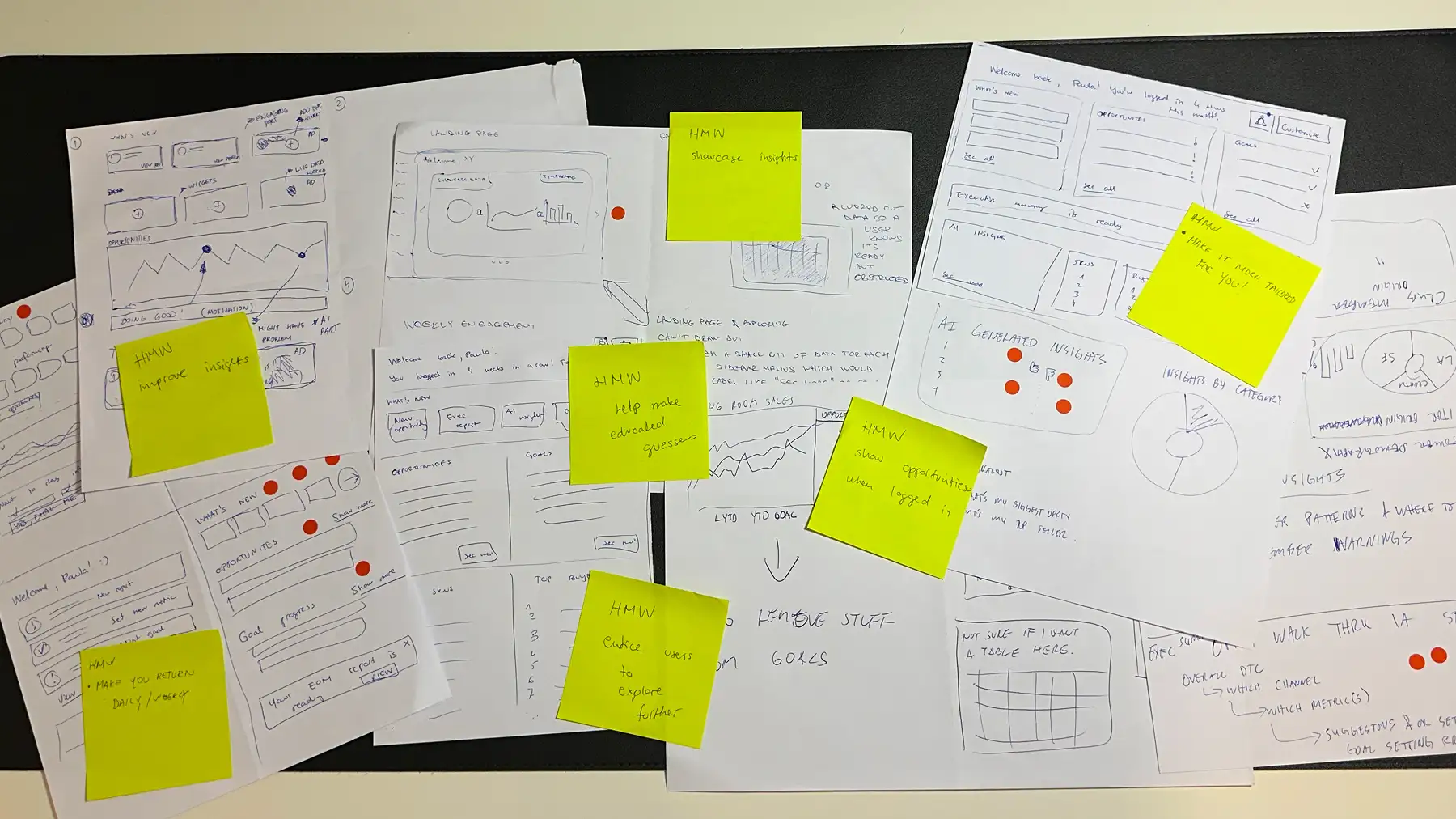
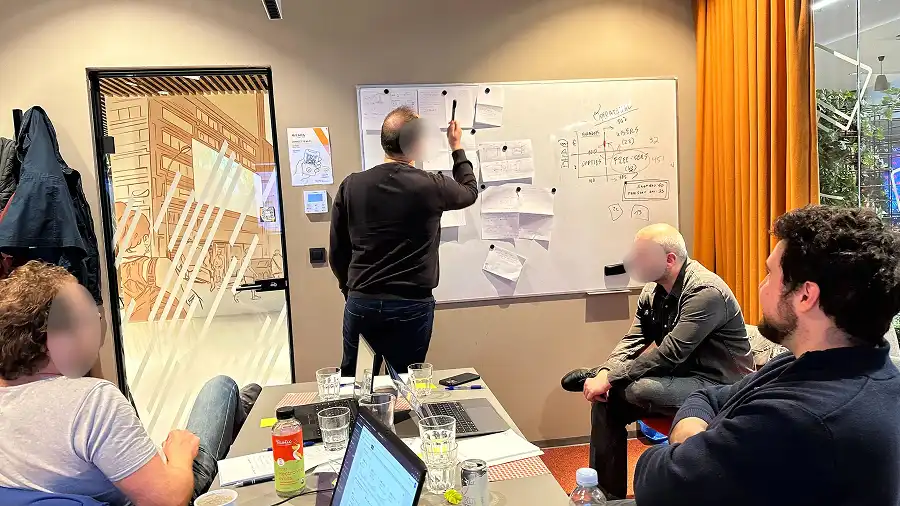
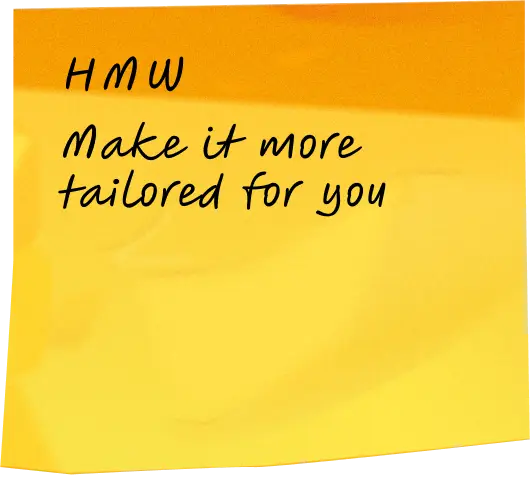
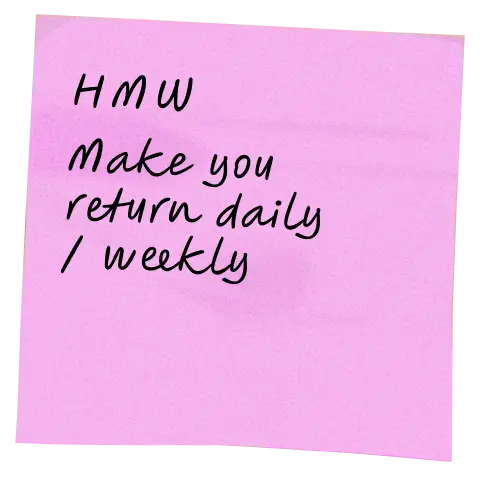
After several weeks of designing the goals feature, the client requested a re-evaluation. The team met in Zagreb for a workshop where we sketched ideas, reviewed approaches, and used voting dots to align on what should make it into the MVP.
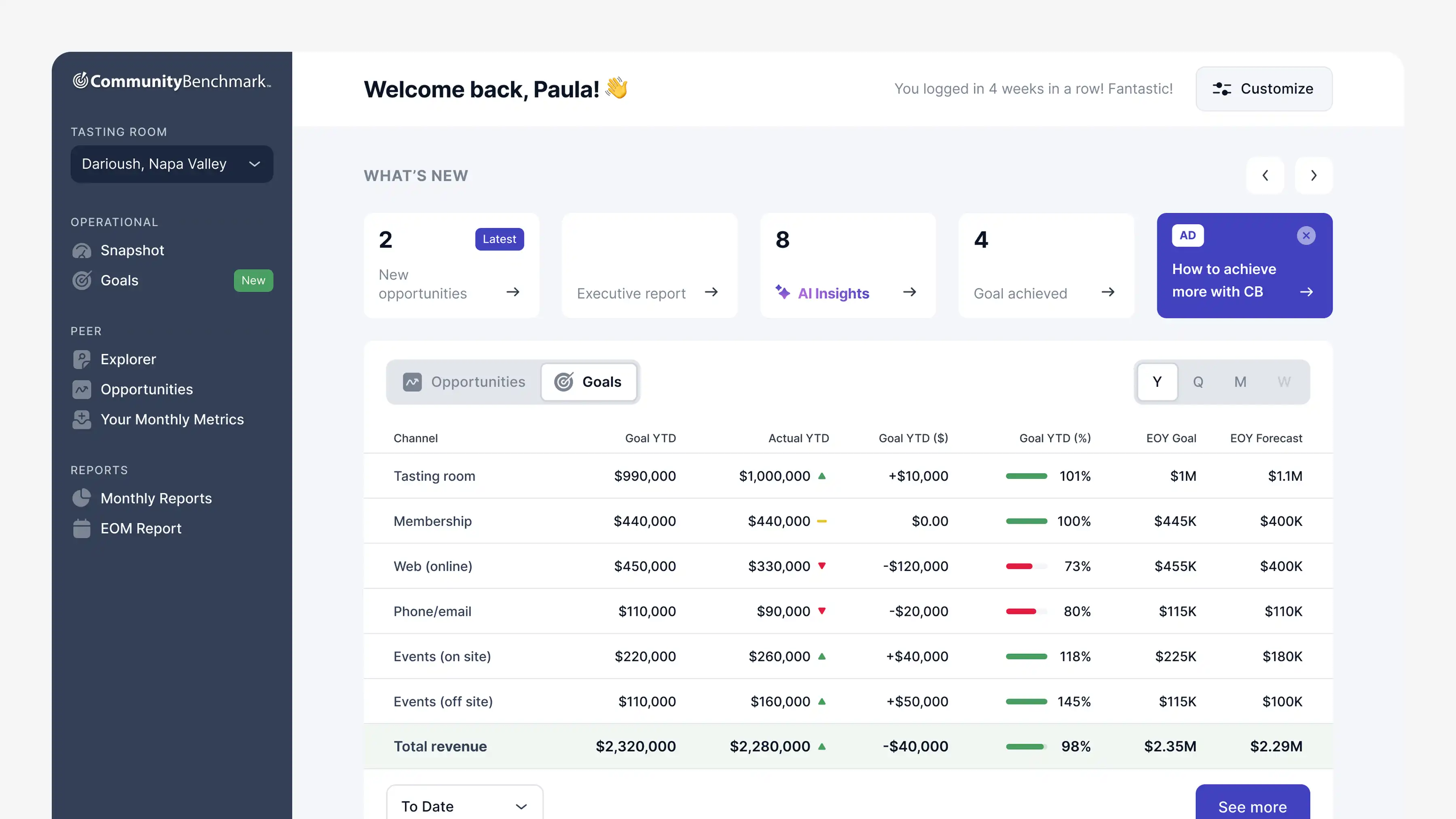
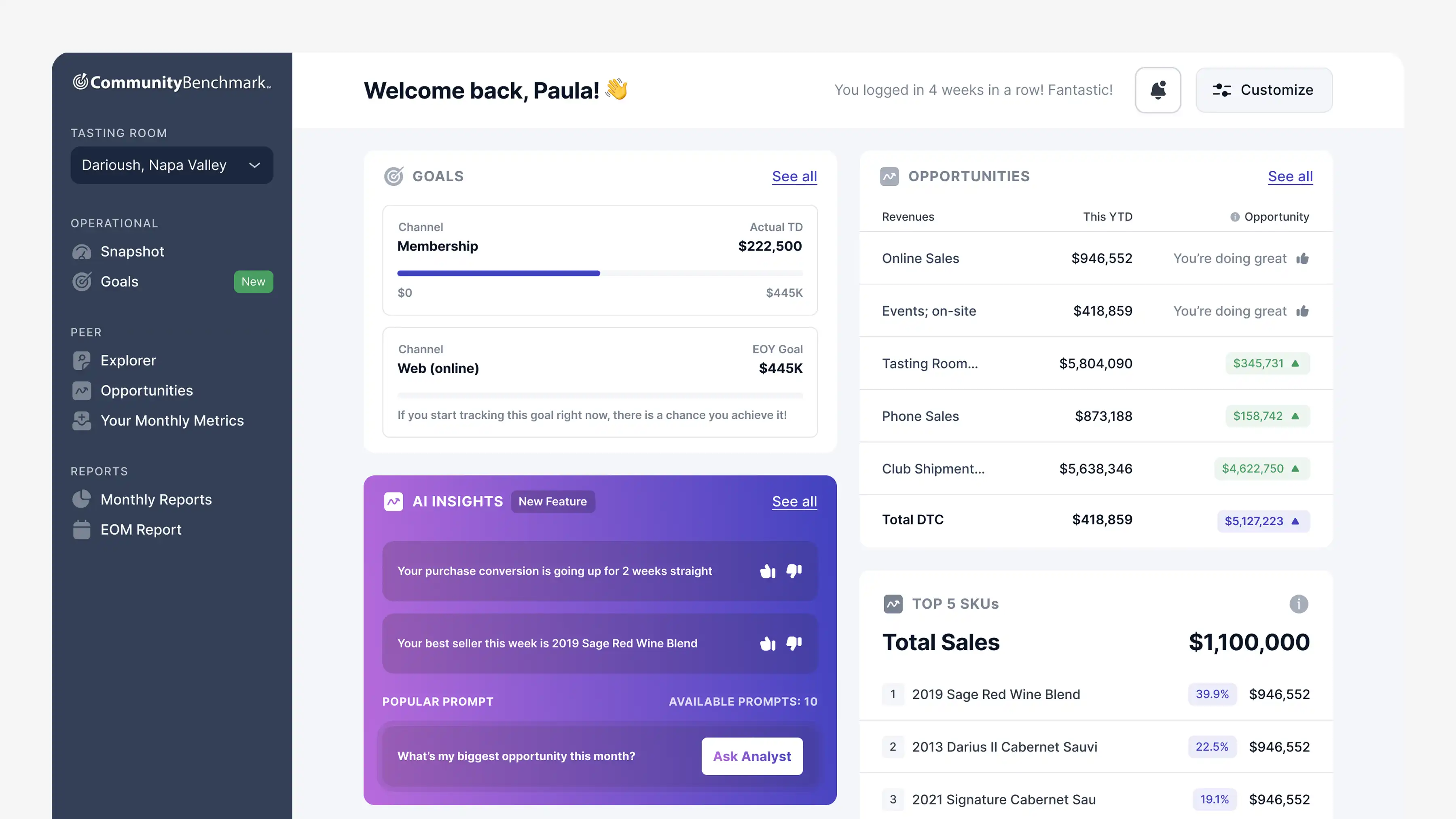
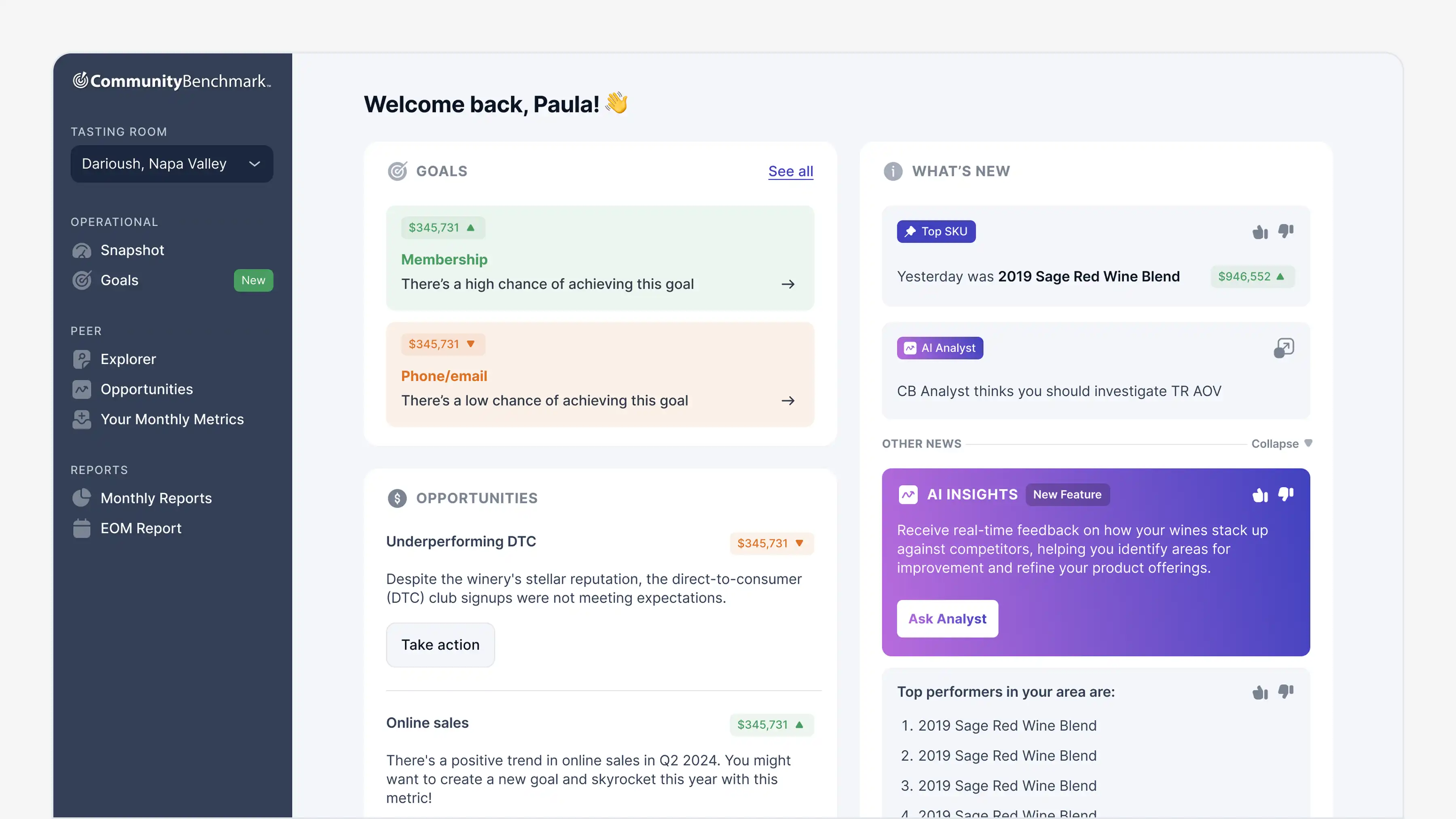
Based on what the team prioritized, I explored multiple design directions and presented variants for review. This let everyone compare tradeoffs side by side and pick confidently instead of debating in the abstract.
Workshopping before solution


Variants that were presented to the client
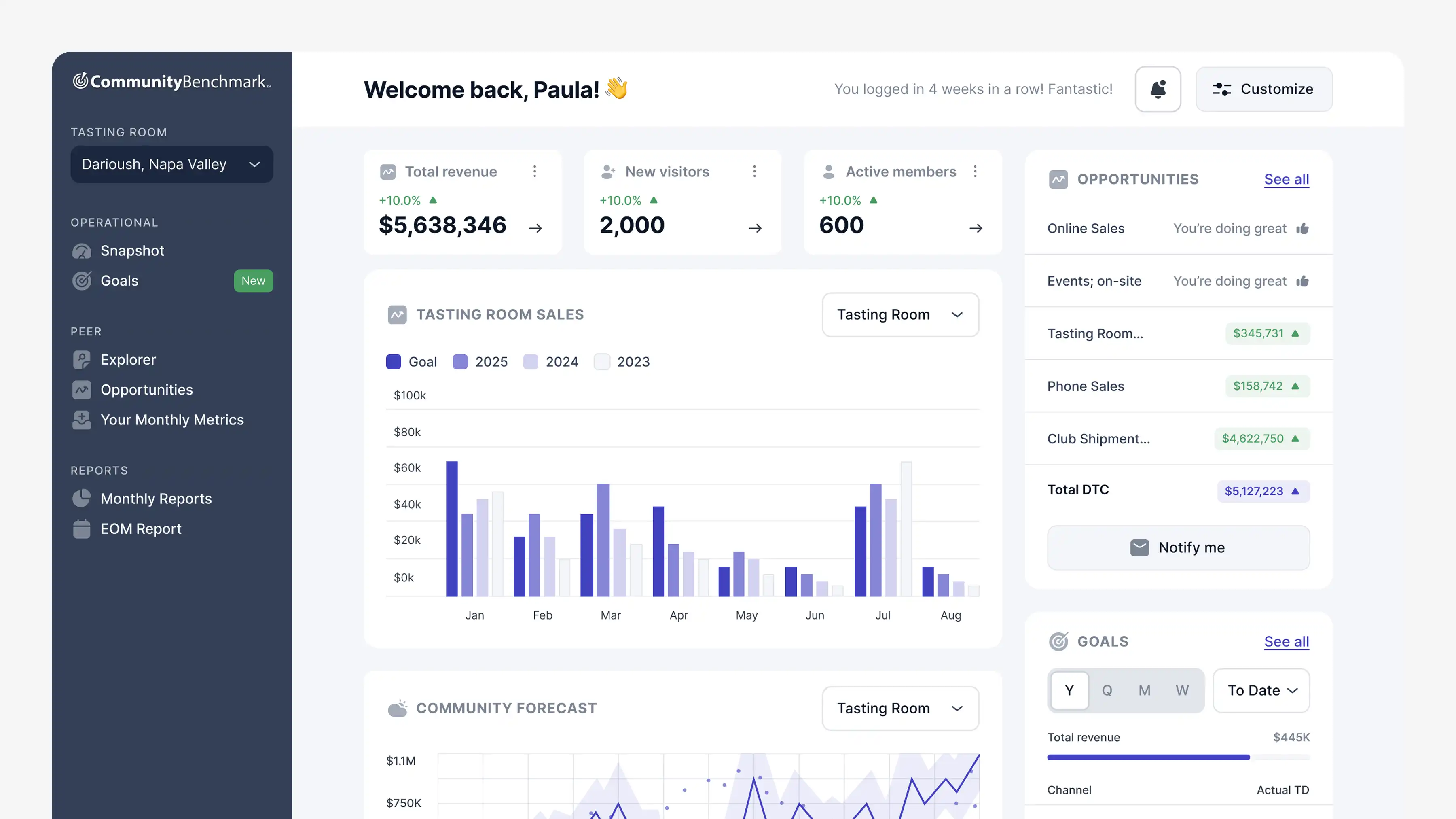
Winner
DESIGN DECISION
Predict. Plan. Perform
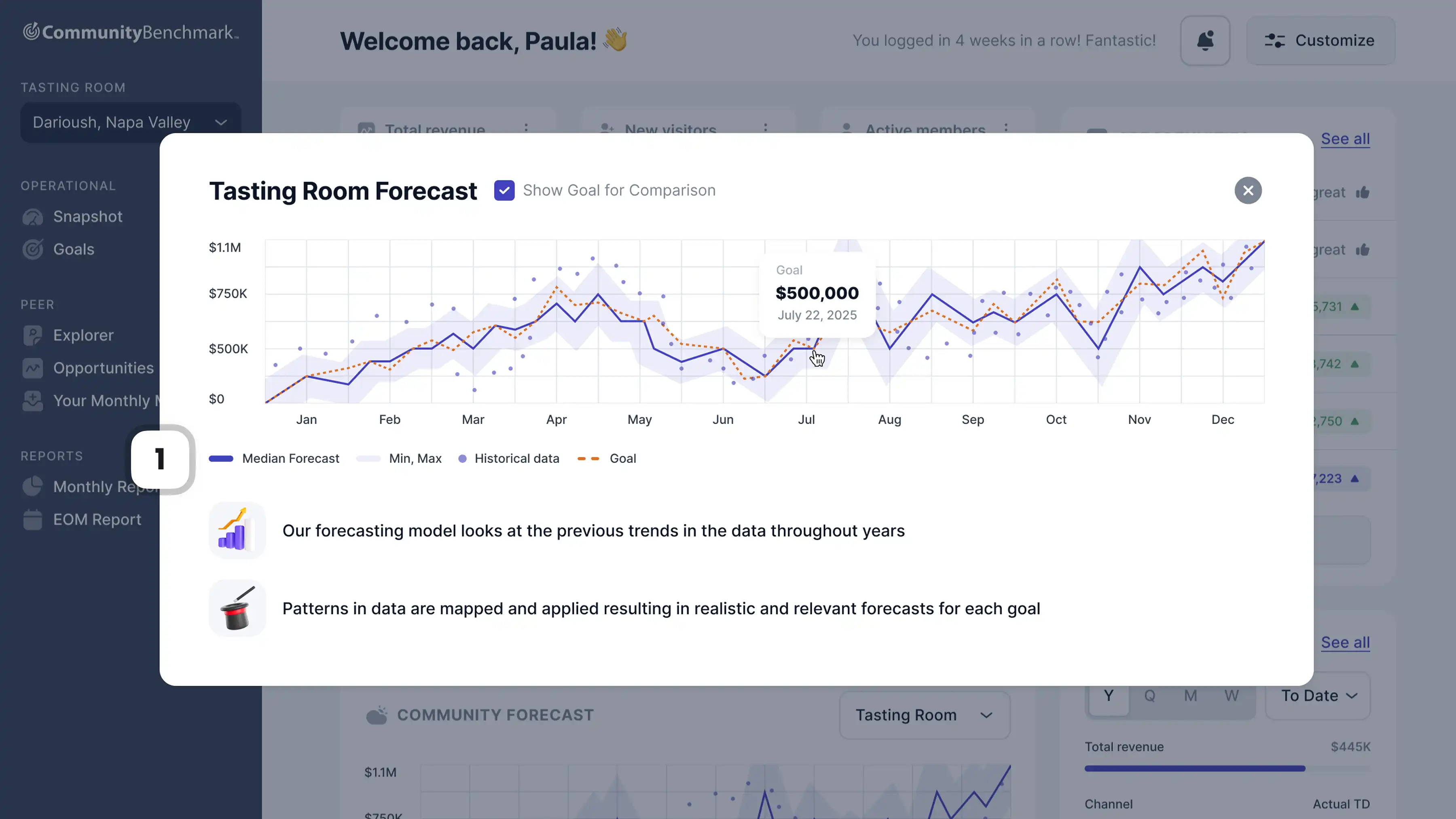
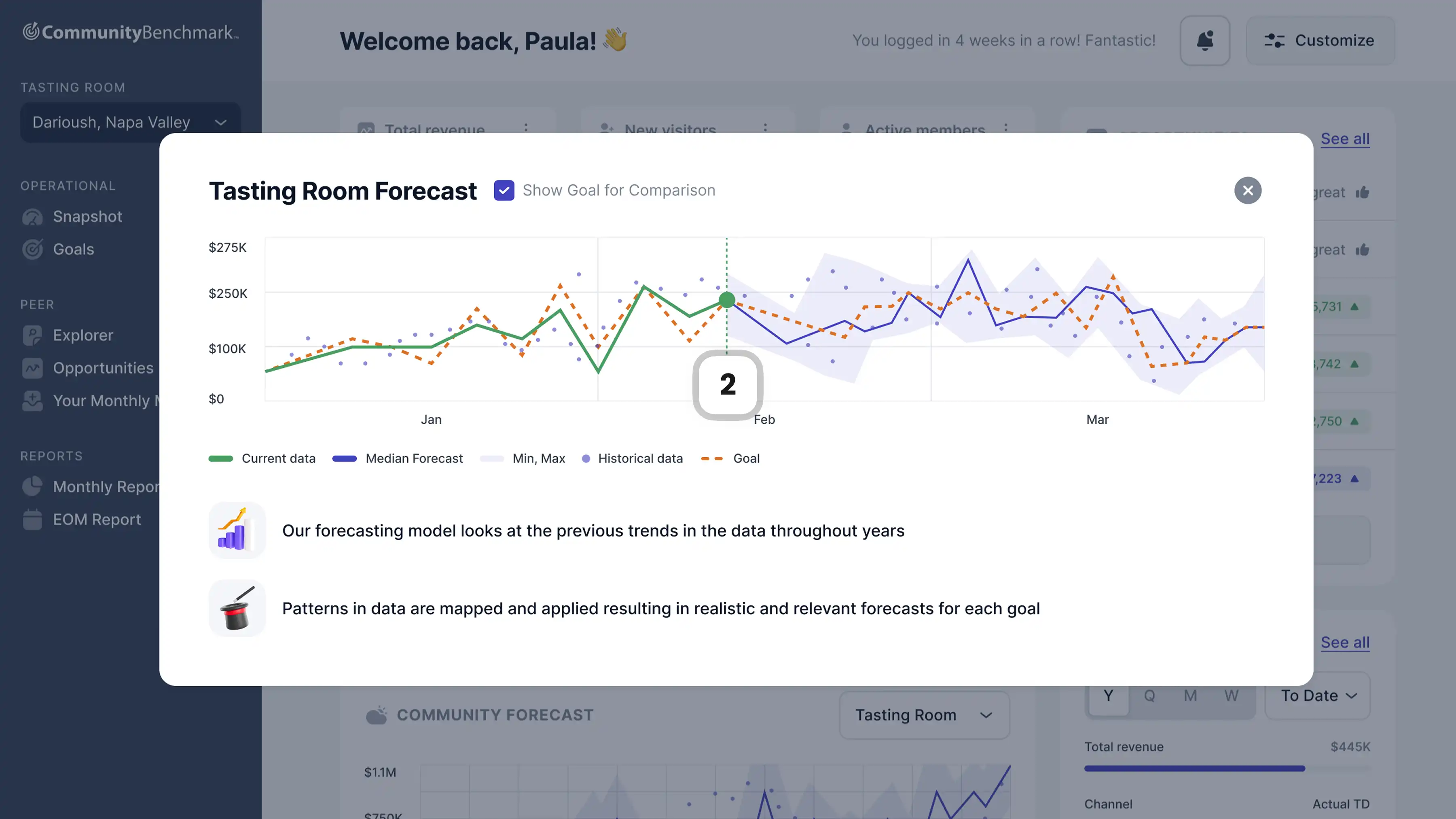
Managers needed to know if their goals were realistic before committing to them. I designed a forecasting view that uses historical trends across years to project how each goal is likely to perform. Instead of guessing whether a target is achievable, managers can see it visually and adjust before locking in.
1
Small markers indicate what each line represents (median, min-max, etc.) so the chart reads clearly without explanation.
2
Completed periods show actual data in a different color, so managers can instantly compare where they are versus where the model predicted.
RETROSPECTIVE
From spreadsheets to a dashboard worth opening
This project taught me how to make impact within constraints. Limited backend flexibility, a mid-cycle start, and a full direction change halfway through. The result was a focused MVP that turned a spreadsheet workflow into something managers could actually use to set goals and track progress.