SHAKE SHACK
Building loyalty across app and kiosk
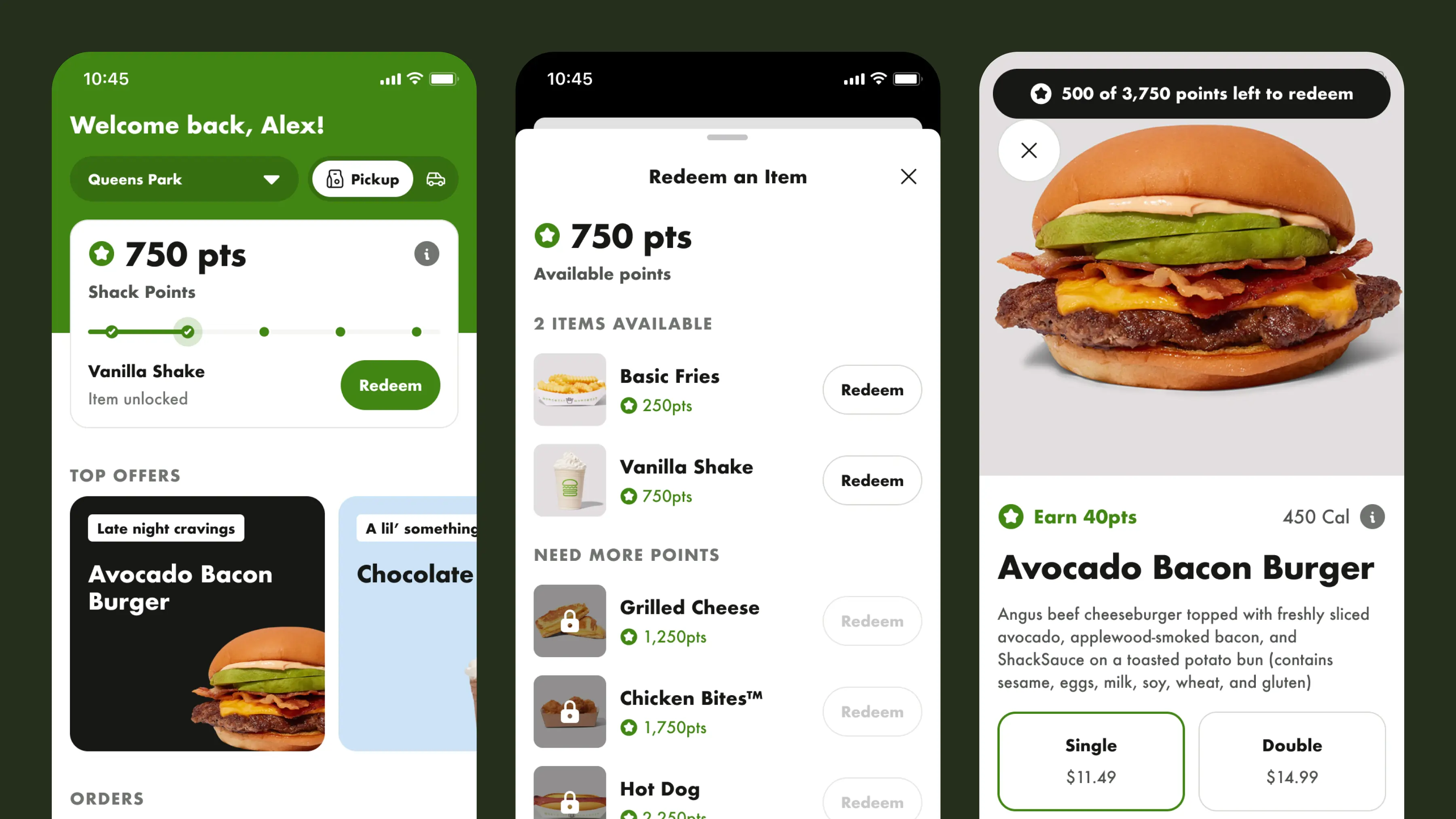
Shake Shack needed a loyalty program for their mobile app and in-store kiosks. I joined the kiosk project specifically for the loyalty integration, having previously designed the mobile app's ordering experience. As the solo product designer, I owned the full loyalty system: the rewards card, points logic, earning, and redemption. The added challenge was weaving it into an ordering flow that was already in development.
Role
Solo Product Designer
Team
1x Product Manager
3x Engineers
Impact
One loyalty system shipped across three surfaces: mobile app, web, and in-store kiosk
Designed into a live development stream without delaying release
White-label ready: approved to scale beyond one brand
PROBLEM AREA
Competing without copying
Shake Shack had no loyalty program, and competitors like Starbucks, McDonald's, and Burger King were already giving customers reasons to come back with points, perks, and rewards. I researched how these brands handled loyalty to understand what a program needs at minimum: progress visibility, clear earning logic, and easy redemption.
But there were two constraints that made this harder than just studying competitors and adapting. First, the client was firm that the design couldn't resemble any existing loyalty program. Second, the system needed to be scalable and white-label ready, so the client could resell it to other brands in the future. That meant every design decision had to work beyond Shake Shack's brand, colors, and product catalog.
DESIGN DECISION
Communicating rewards at a glance
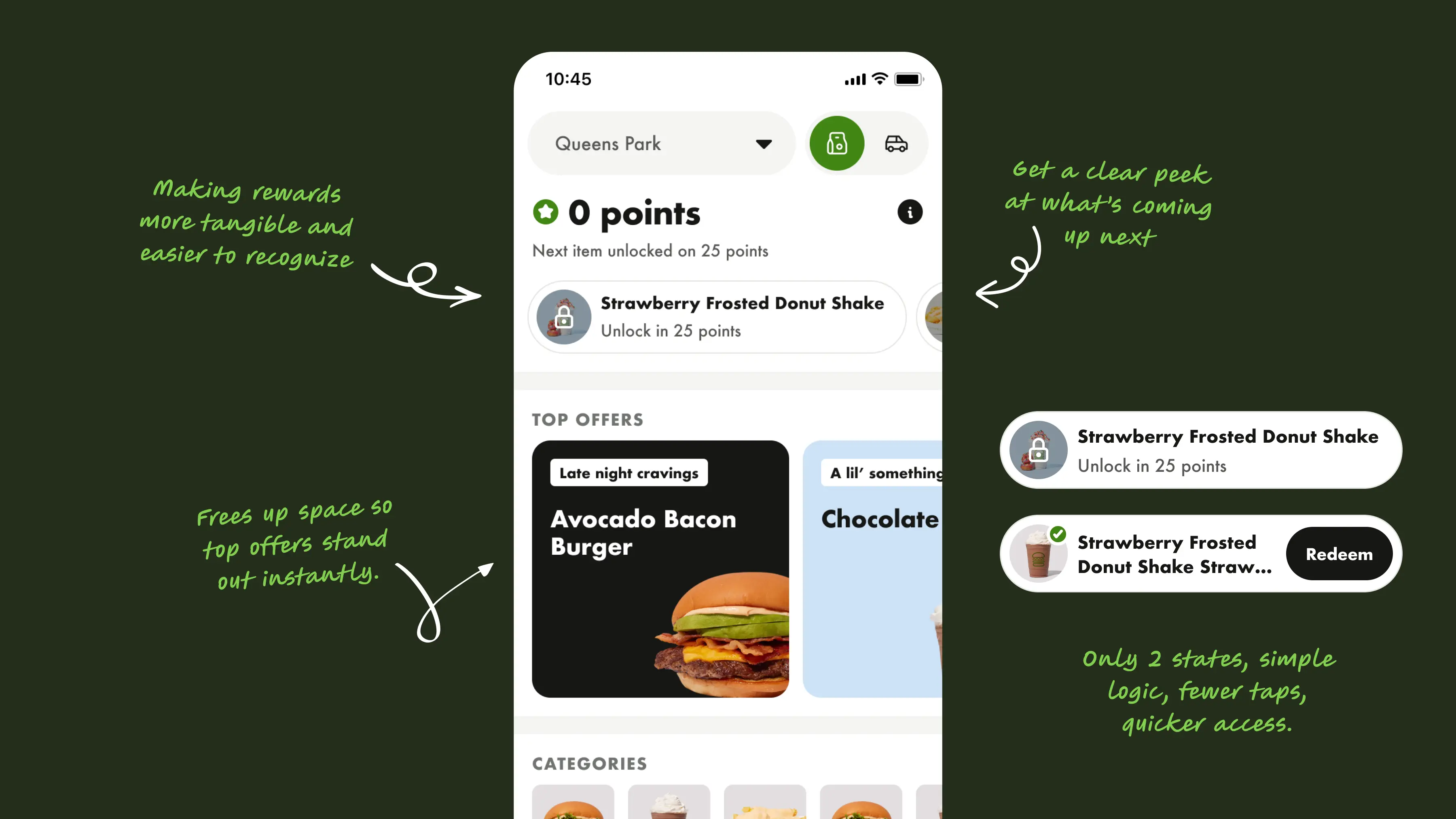
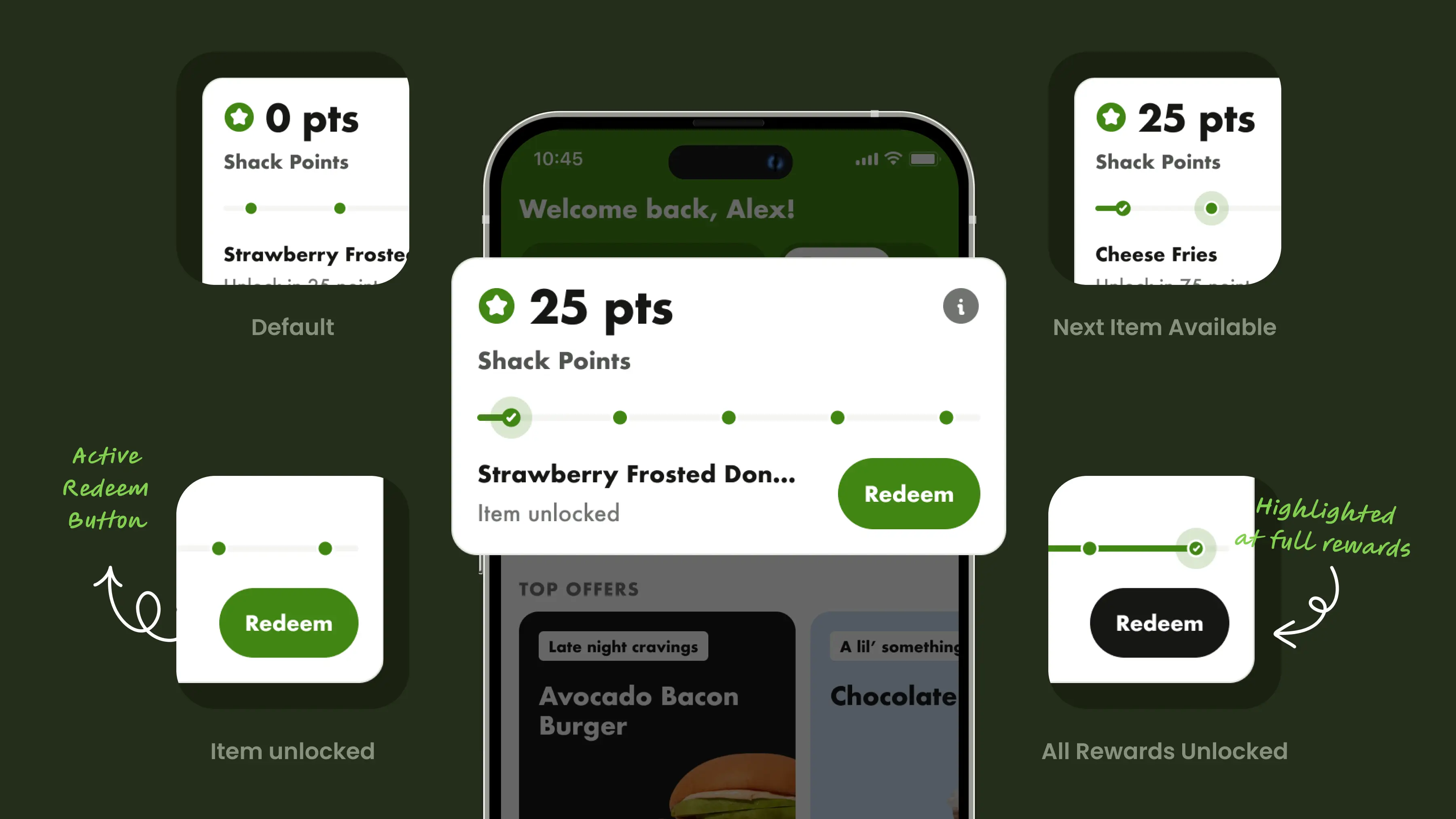
There was no loyalty card on the home screen, so customers had no way to see their points or progress. I needed to make loyalty visible without taking over the screen.
I designed a card with dynamic states showing points, reward eligibility, and progress at a glance. This version shipped because development had already started and it worked well for introducing the feature. But it only holds a handful of rewards, which led me to explore a carousel approach that scales to 100+ items using a swipe pattern. That solution is in the backlog.
DESIGN DECISION
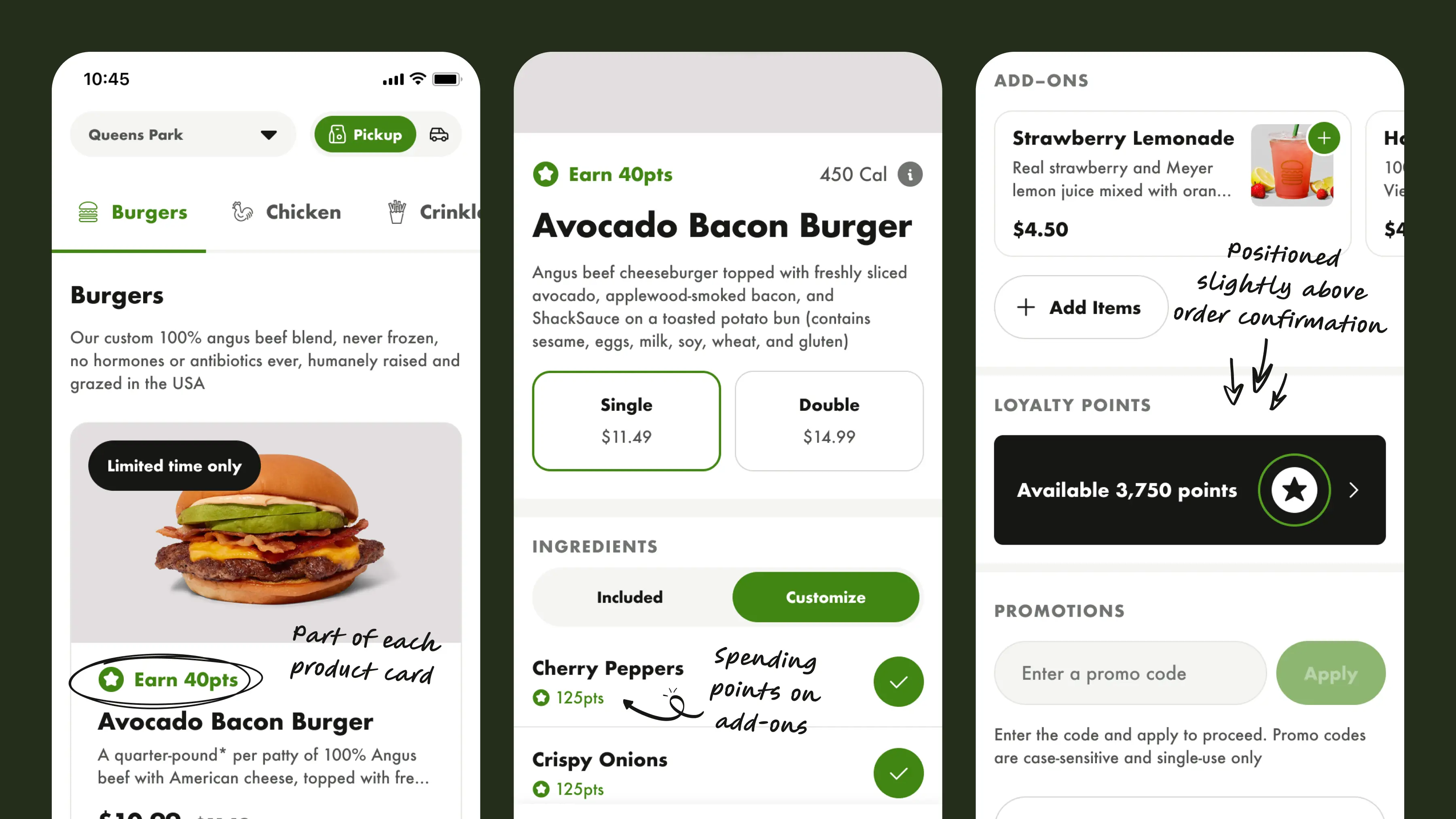
No standard placement for loyalty existed in the ordering flow, so I mapped the journey and looked for high-intent moments where users are already making decisions about what to buy.
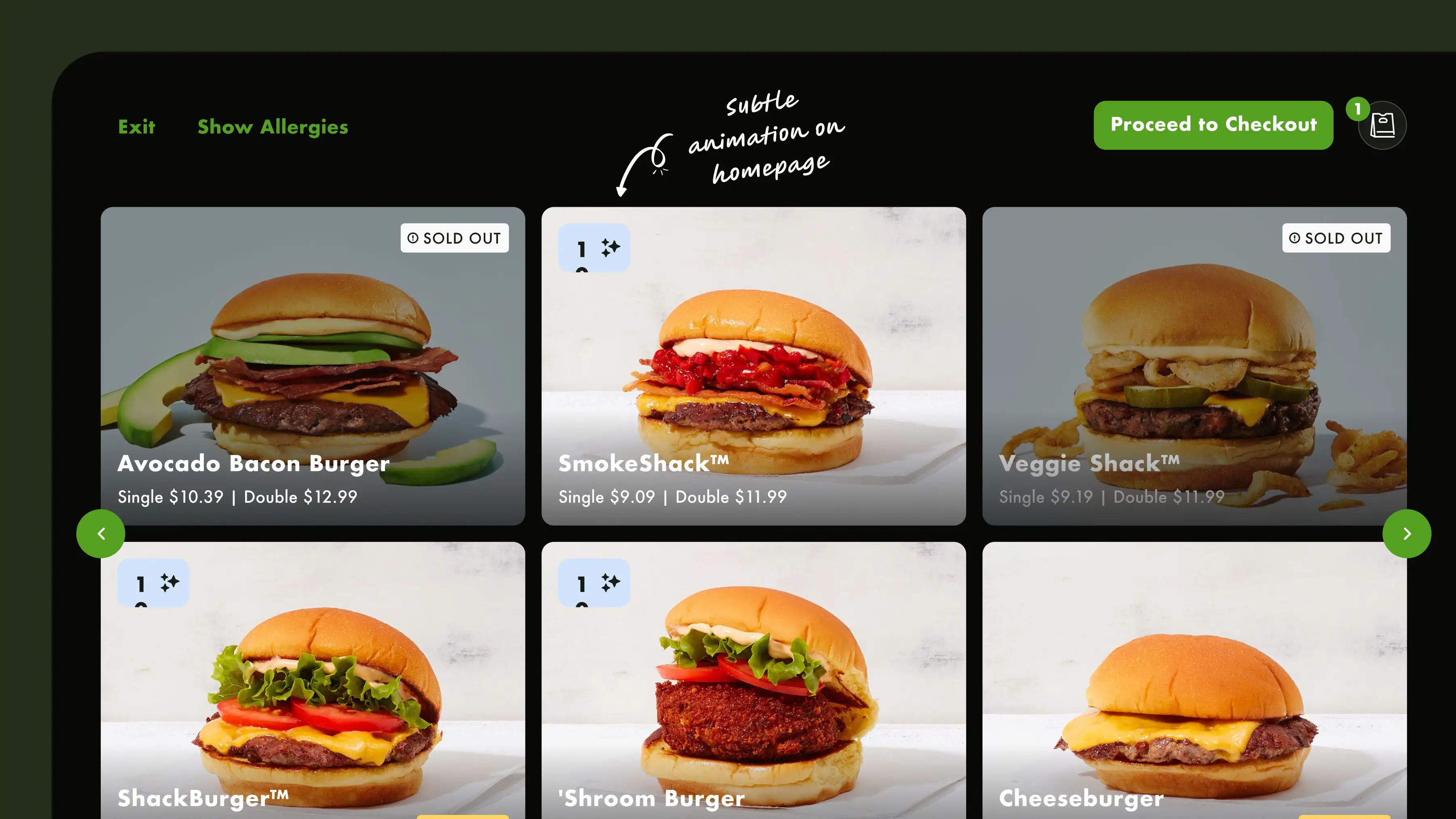
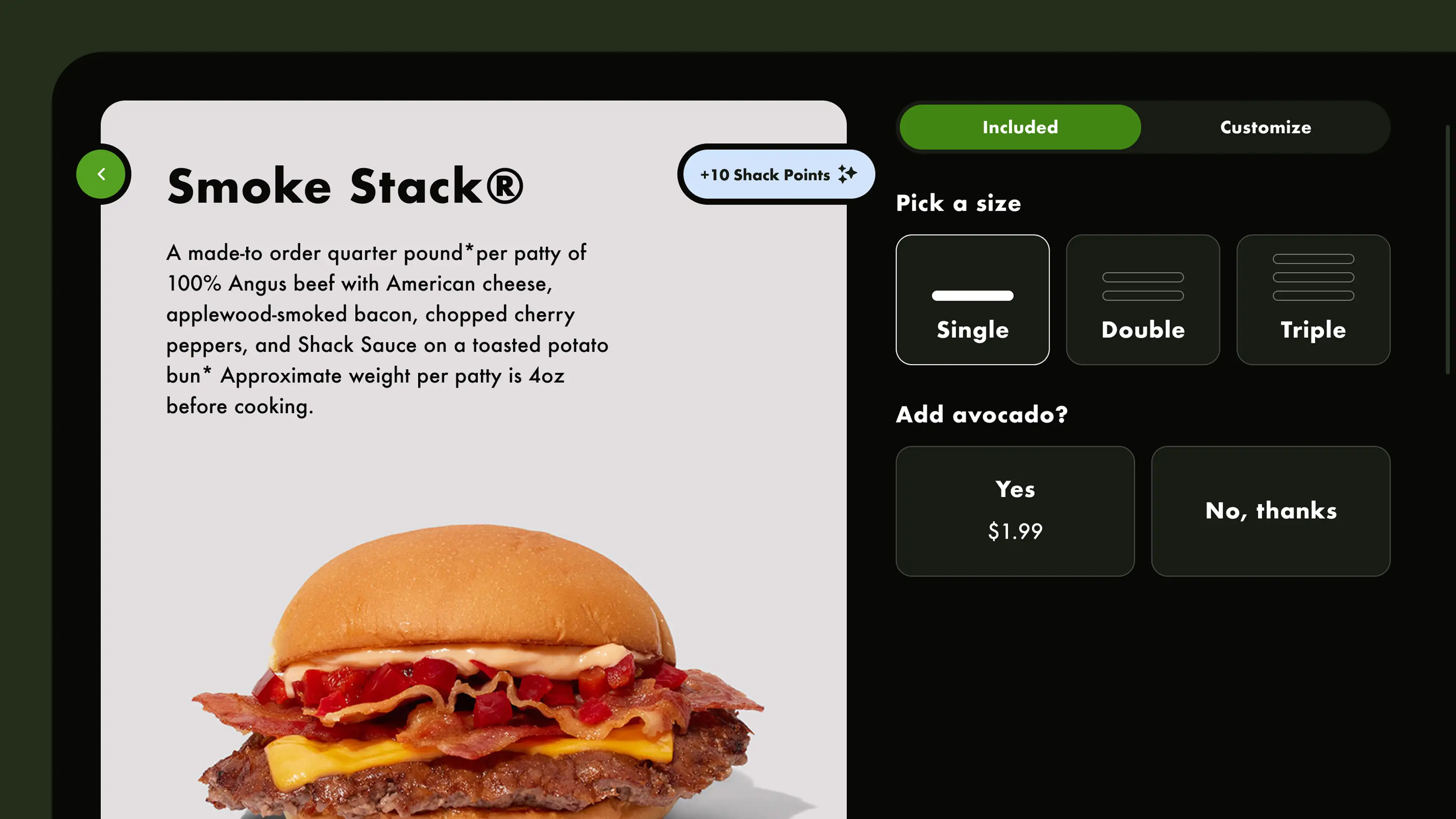
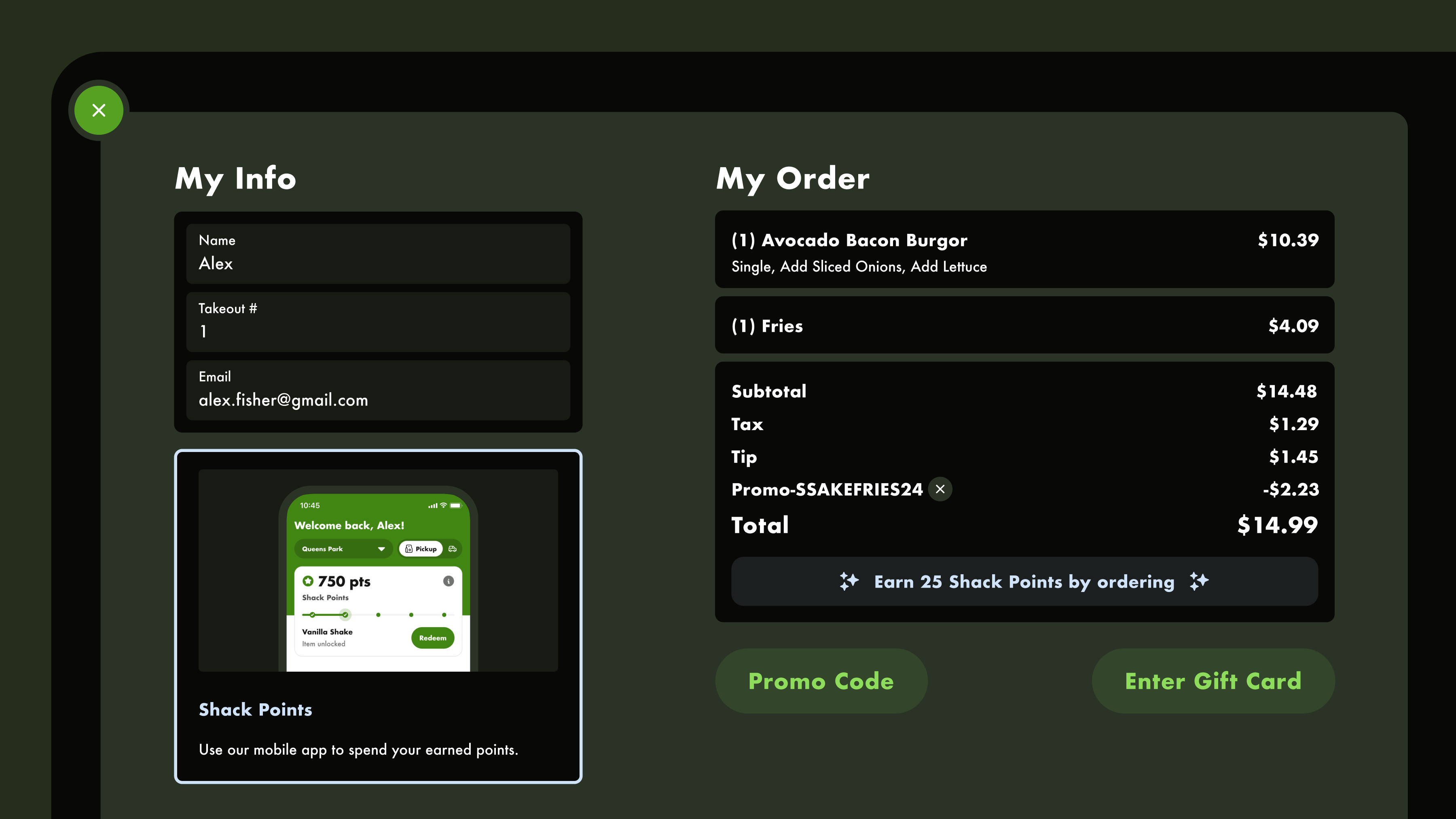
Three touchpoints: while browsing, we show how many points each item is worth so users can factor rewards into their choices. During customization, we surface add-ons that can be redeemed with points. At checkout, if users haven't engaged with their points yet, we remind them what's available. The idea is simple: make it transparent and give users every opportunity to use what they've earned, without forcing it.
DESIGN DECISION
Collect points in-store
I was brought onto the kiosk project specifically for the loyalty integration. I hadn't designed the kiosk, so I had to learn the system quickly and figure out how loyalty would connect between the app and kiosk.
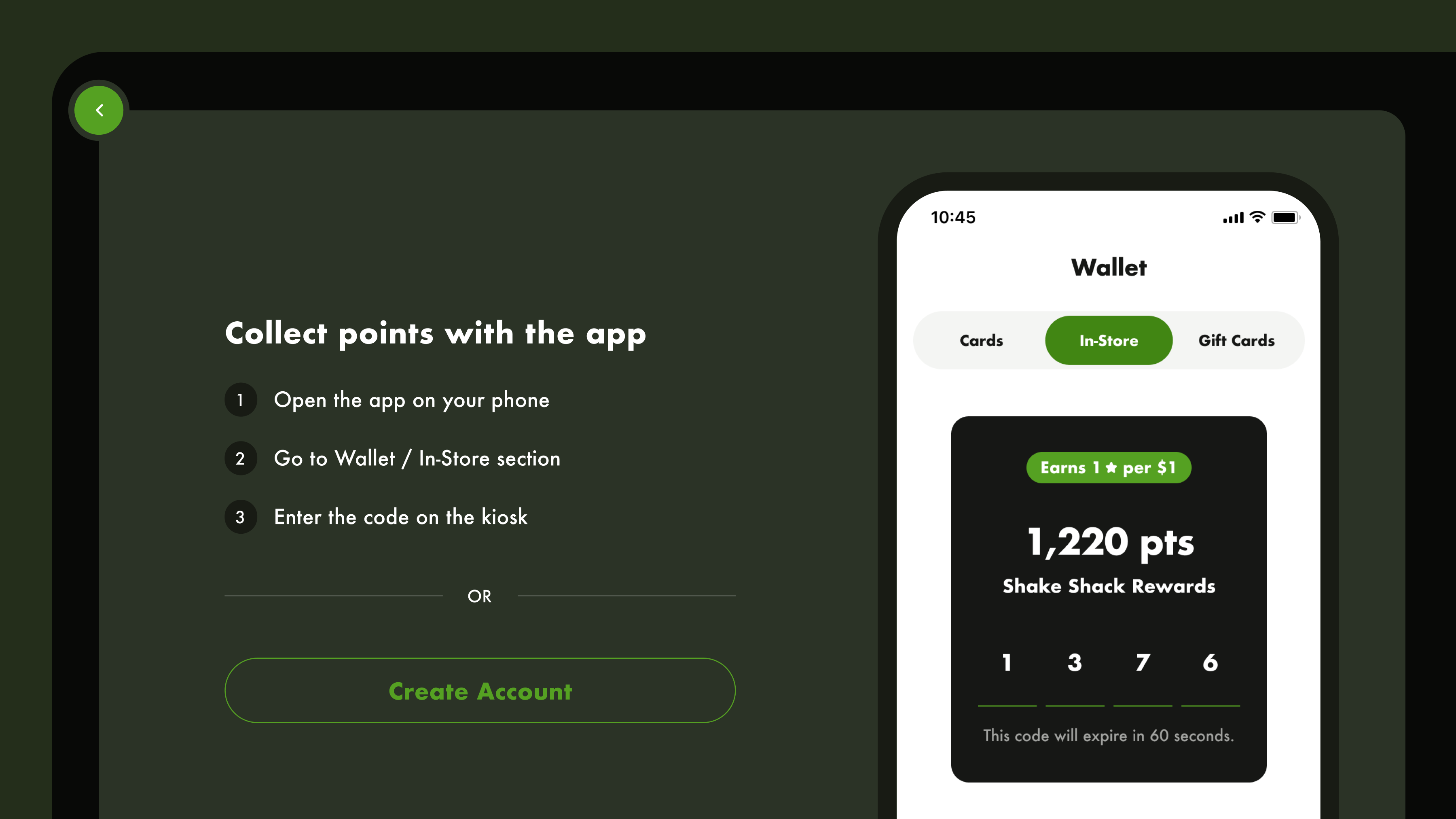
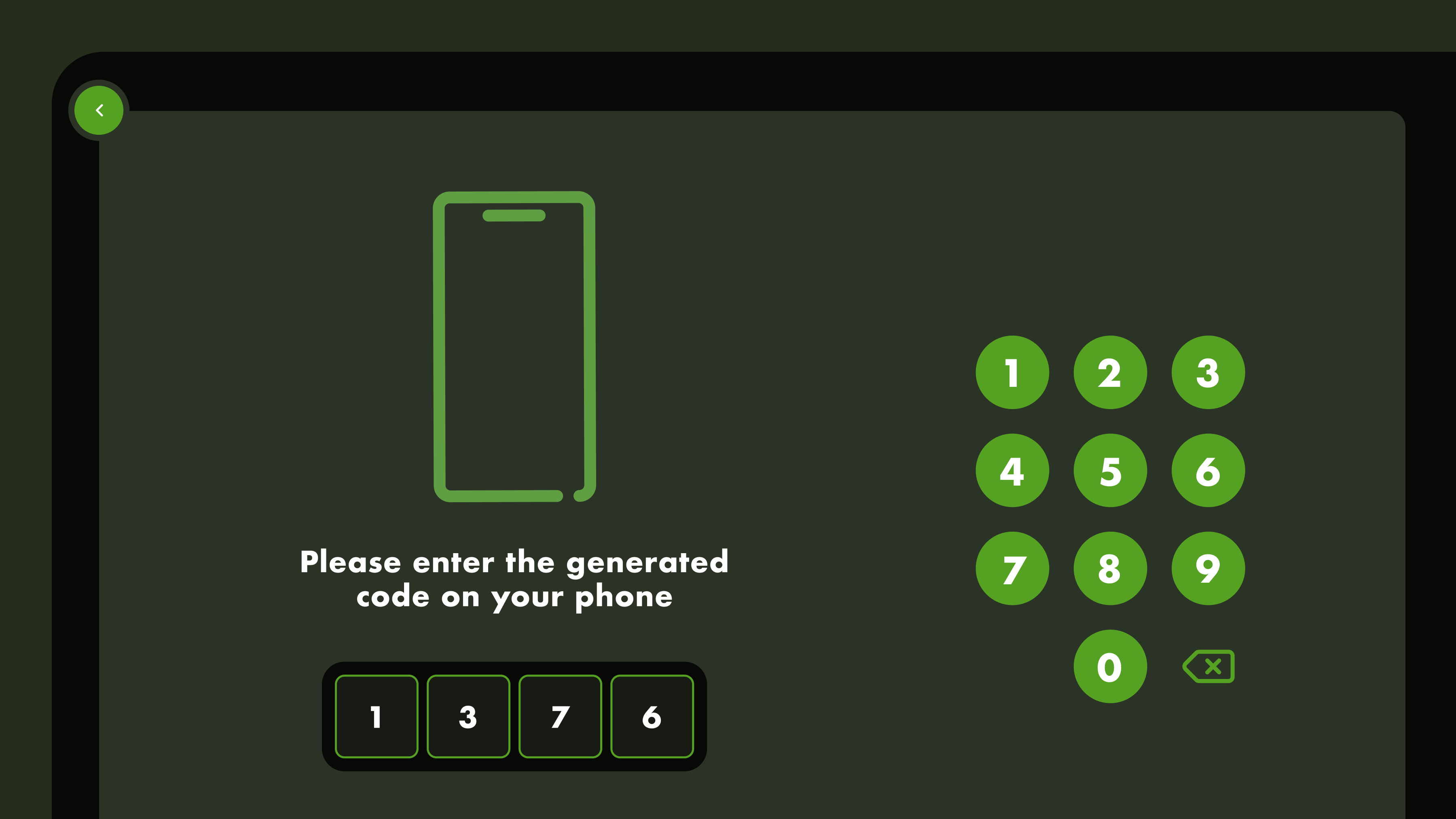
The core challenge: a kiosk is a shared, public device with no saved identity. Typing a phone number or email on a public screen was too risky, so I designed a code-based login: users generate a short code in their app wallet, then enter it on the kiosk's number pad. No personal info exposed, and the interaction takes seconds.
Once logged in, the kiosk loyalty experience mirrors the app: points on product cards, promos on product details, tiered rewards at checkout. Same experience, different device.
RETROSPECTIVE
What shipped and what I'd push for next
What could be improved
We shipped the first solution due to timeline pressure, but I believe the carousel is the stronger approach. It uses swiping, which users already know, so there's nothing new to learn. It simplifies states to just locked and redeemable, shows a preview of what's next to unlock, and scales from 5 to 100+ items. The current card only holds five. This version is in the backlog.