subtrak
A UX audit that went beyond the brief
Subtrak helps construction contractors document their processes and track execution across jobs. The product had potential, but onboarding drop-offs were high, and engagement was low. I was brought in with another designer to do a UX audit: identify friction points, prioritize high-impact fixes, and deliver high-fidelity designs for the development team to implement.
Delivered UX audit with heuristic evaluation
Redesigned onboarding, workflow builder, and project setup flows
Delivered production-ready designs for development team
PROBLEM AREA
The onboarding black hole
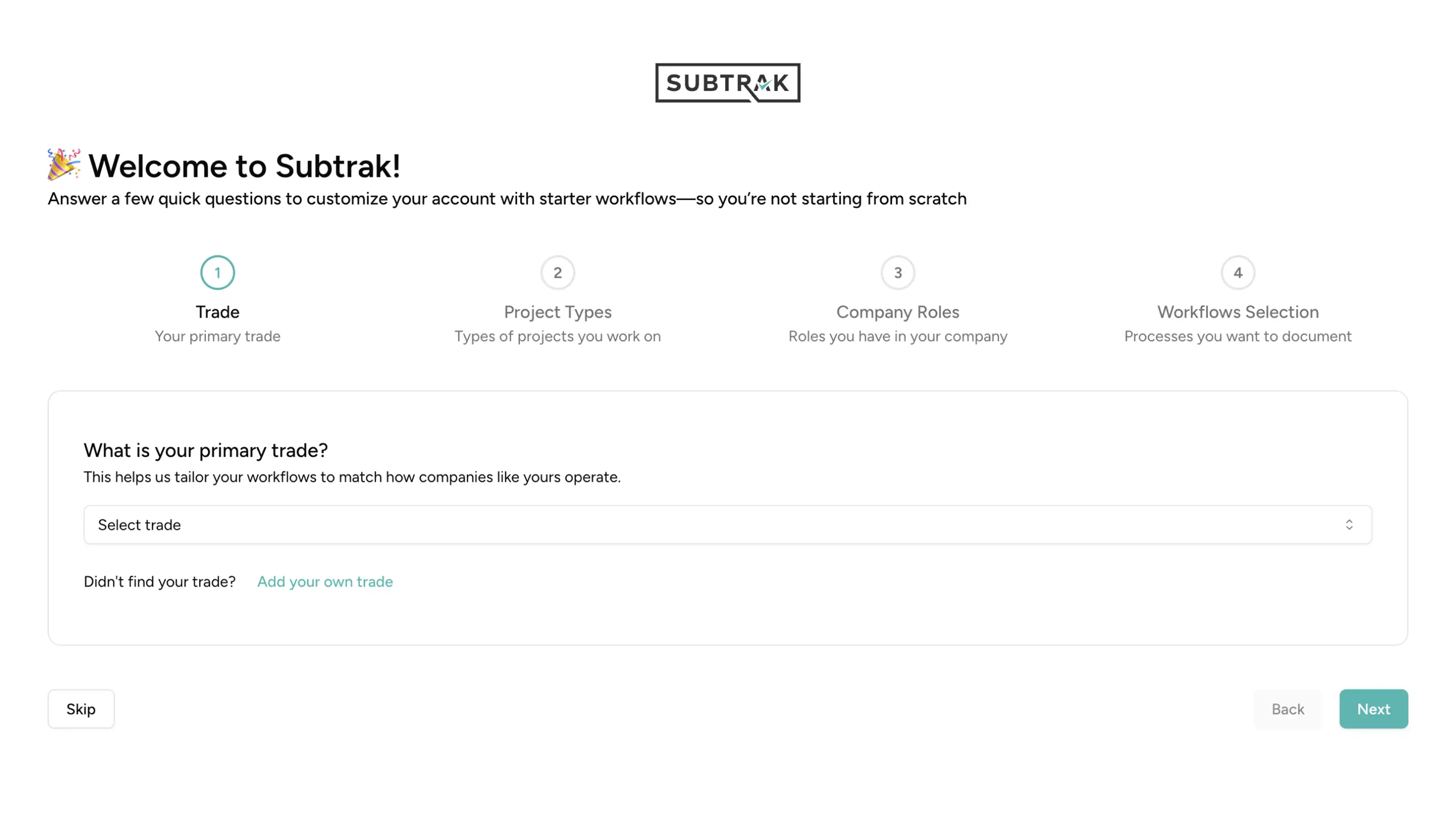
New users struggled to complete onboarding. The flow was cluttered, project selection required too many steps, and workflow choices forced users to scan long, overwhelming lists. Most dropped off before experiencing the product's value.
Distracting with details from the main task
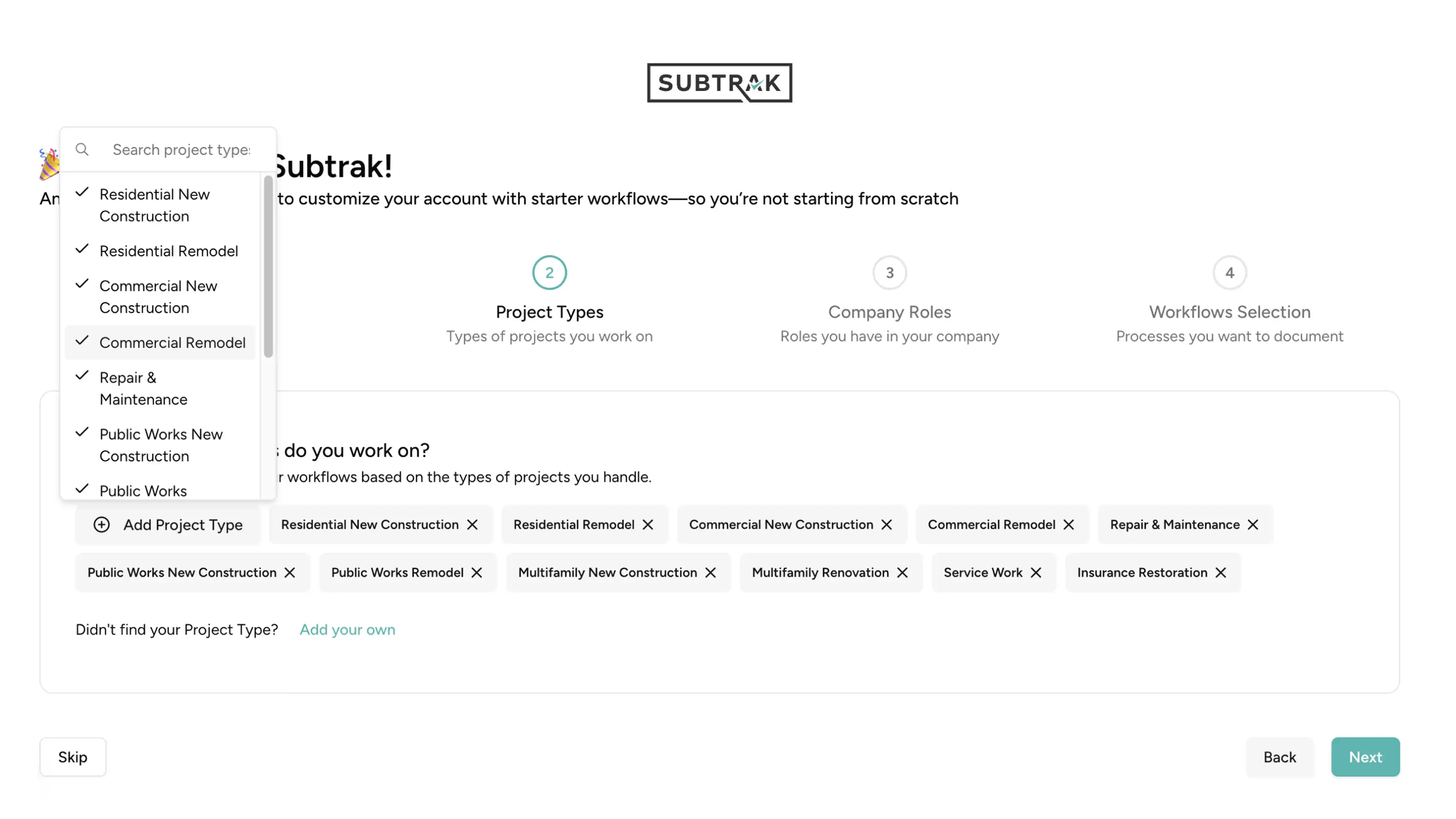
Project selection requires too many steps
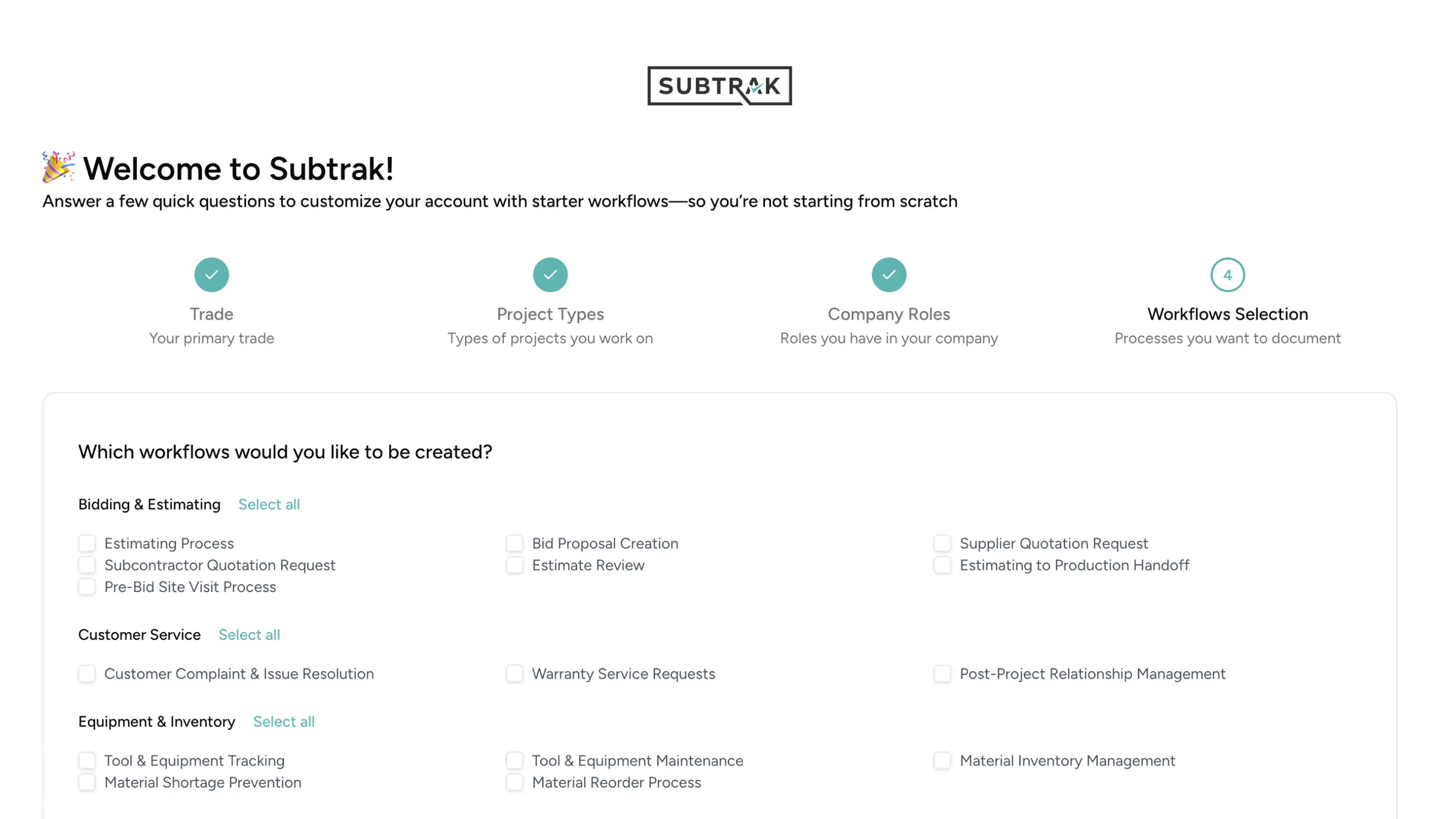
Forces users to scan long lists manually
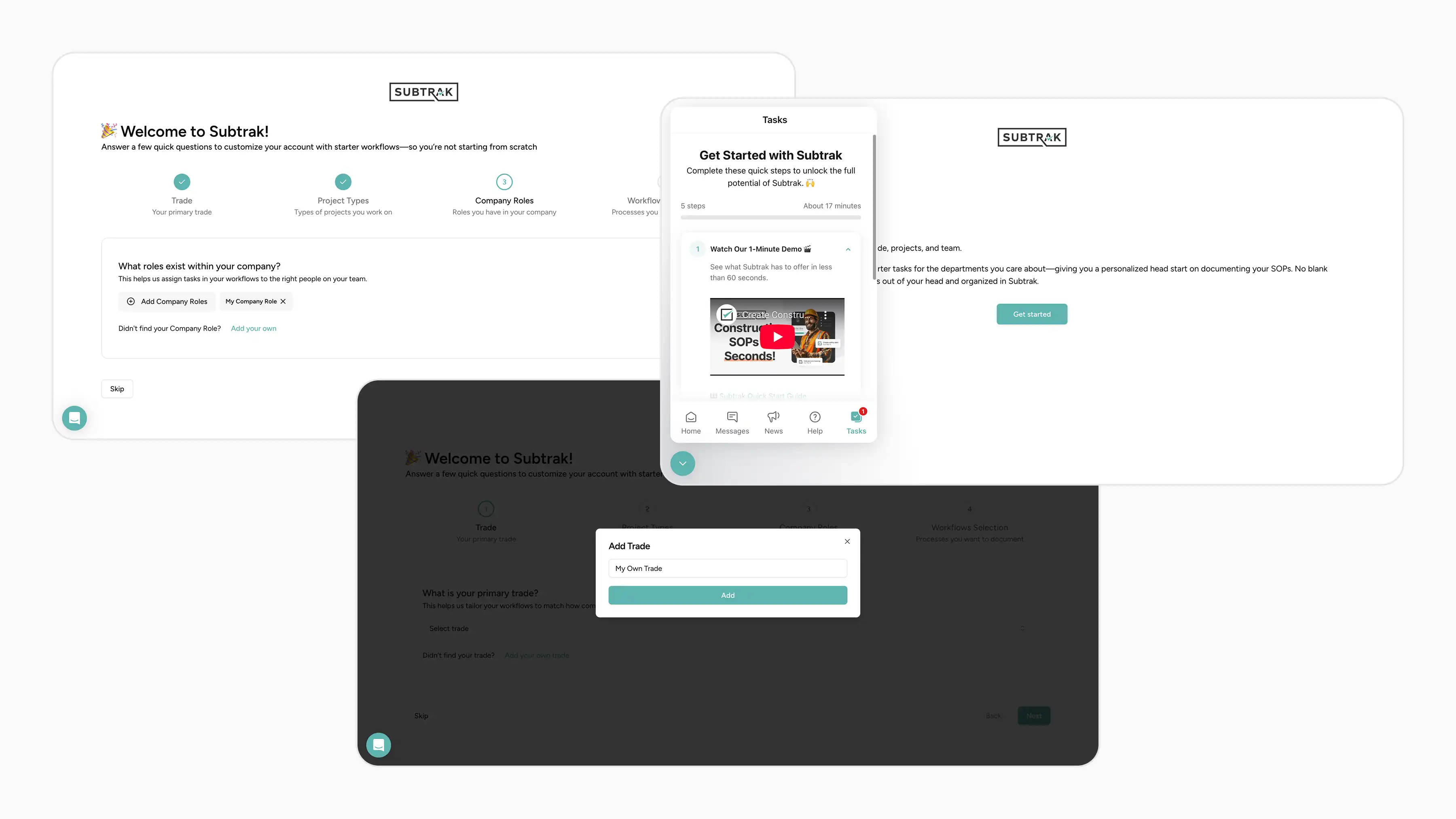
Among many other problems
DESIGN DECISION
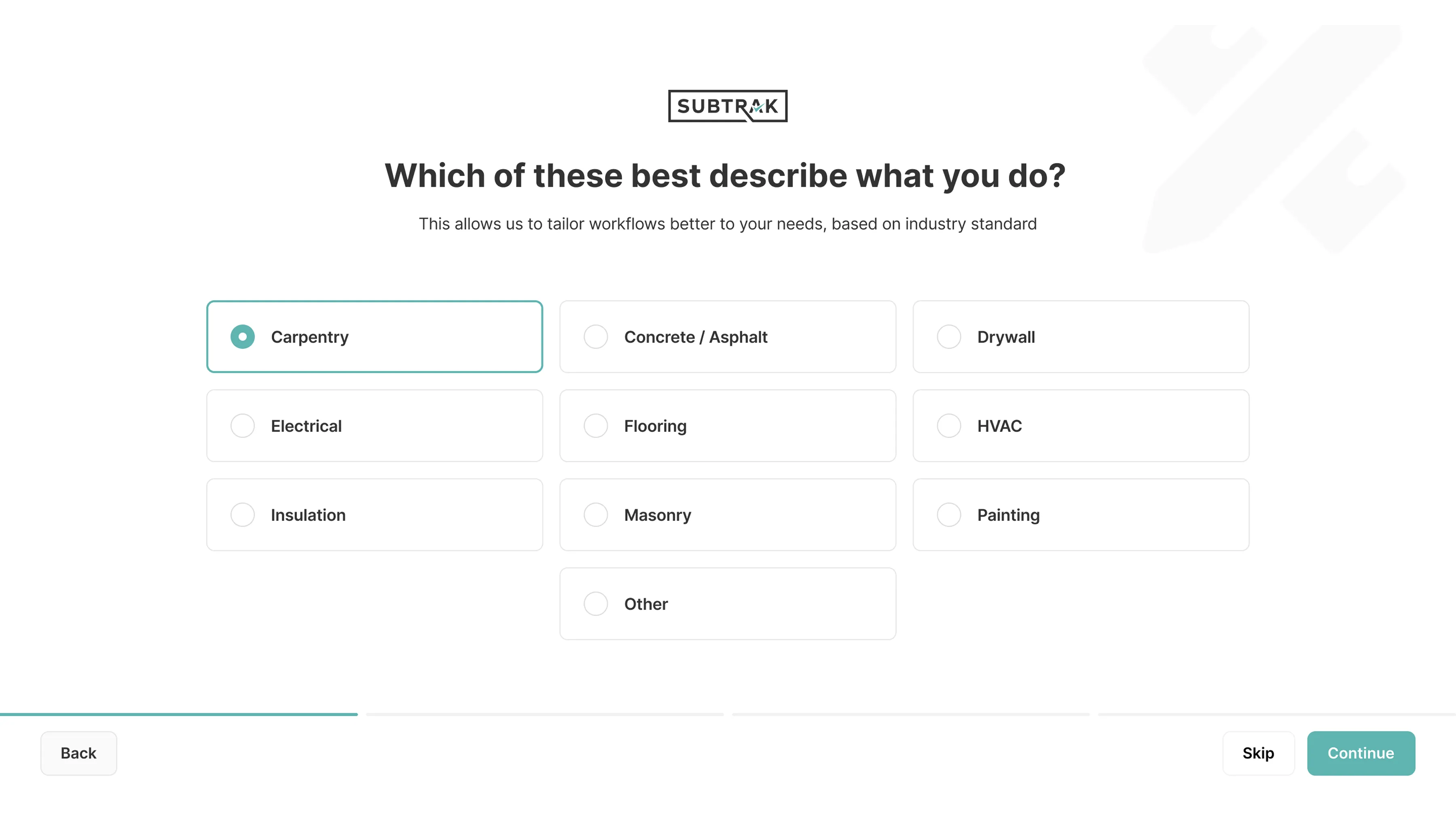
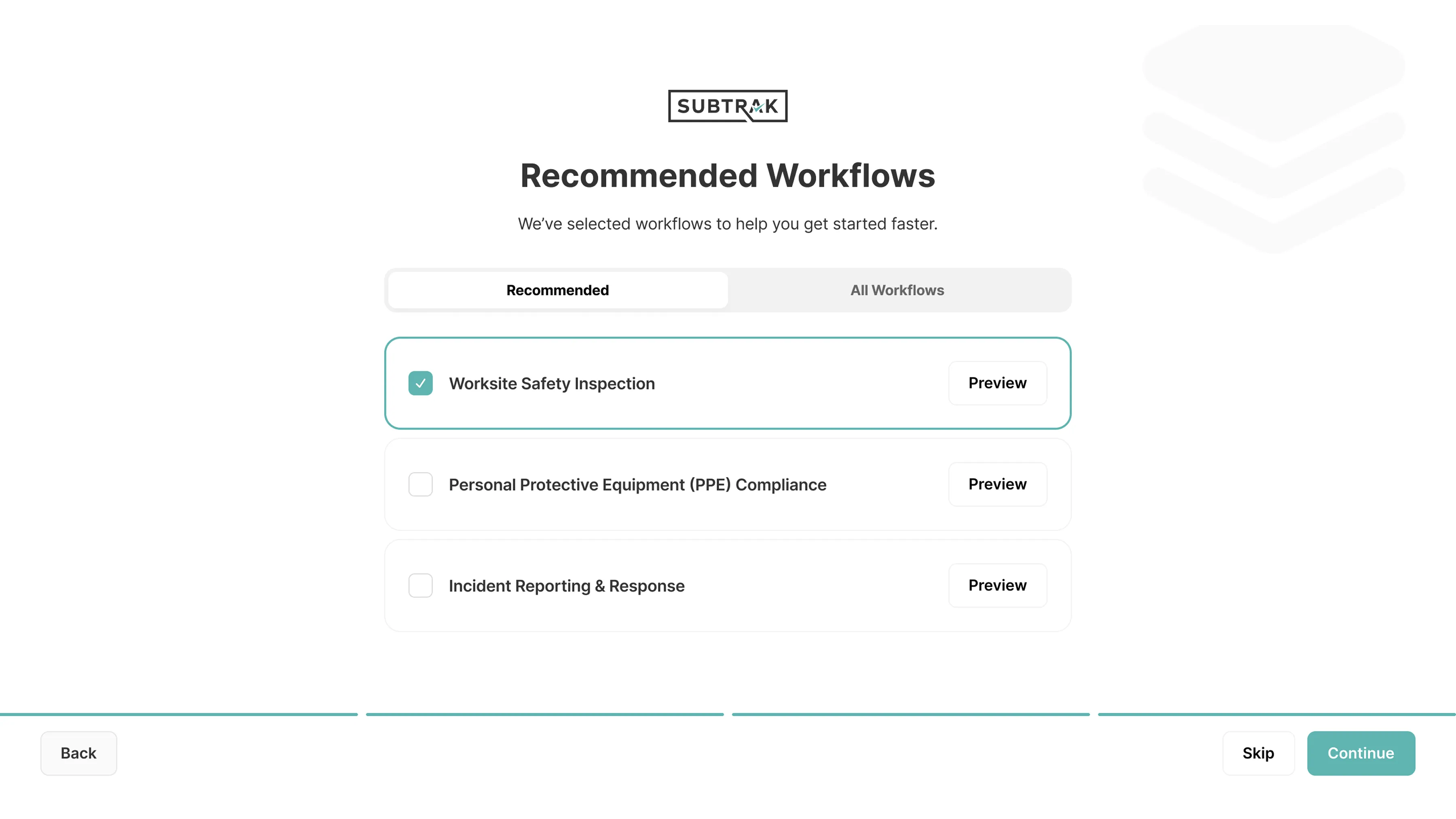
We started by improving the existing onboarding structure. Same steps (trade, project types, roles, workflows) but cleaner: one question per screen, skippable steps, and smart recommendations instead of raw lists of 80+ workflows. This was a safe, low-risk improvement that the dev team could implement quickly.
First approach
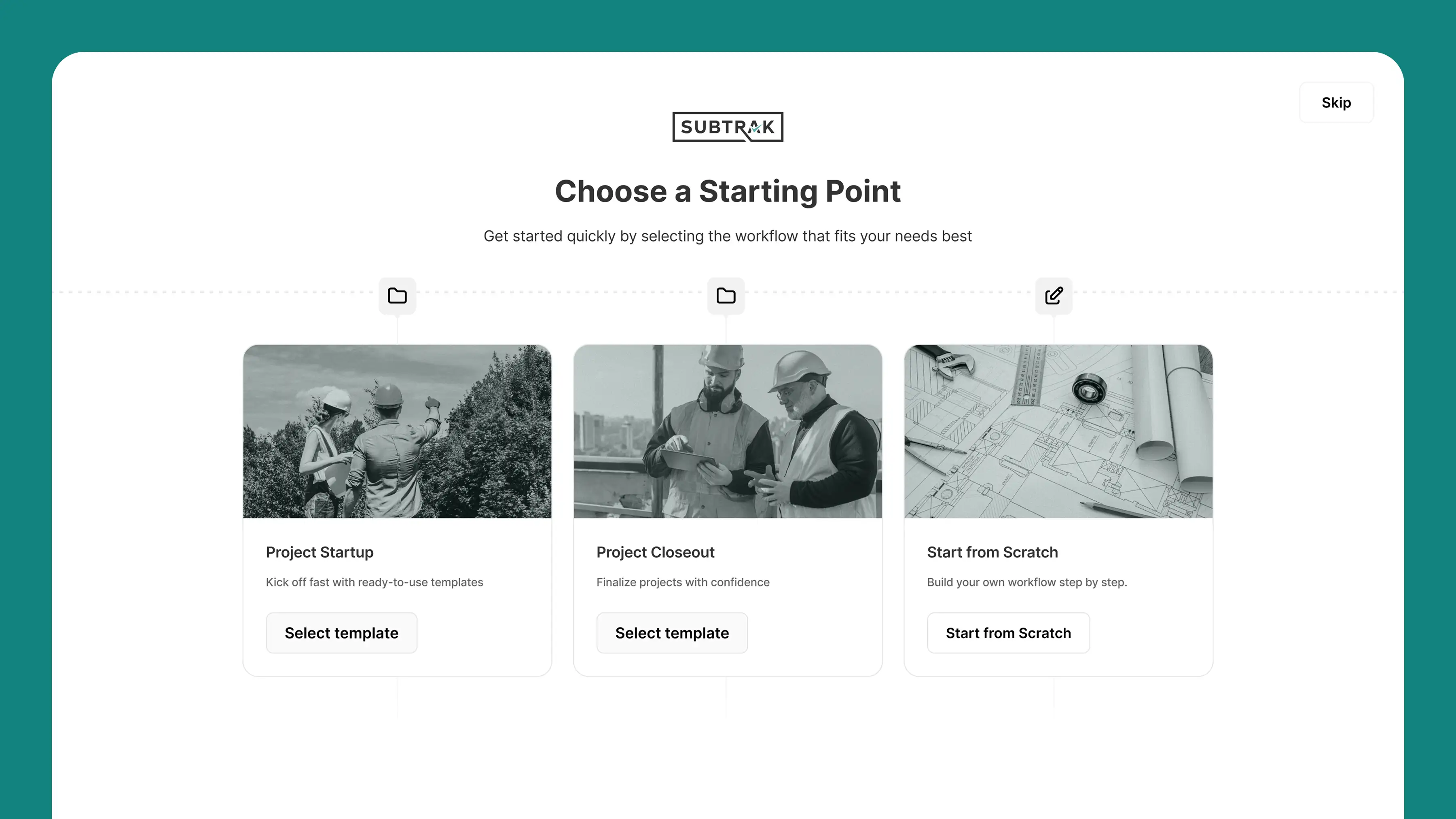
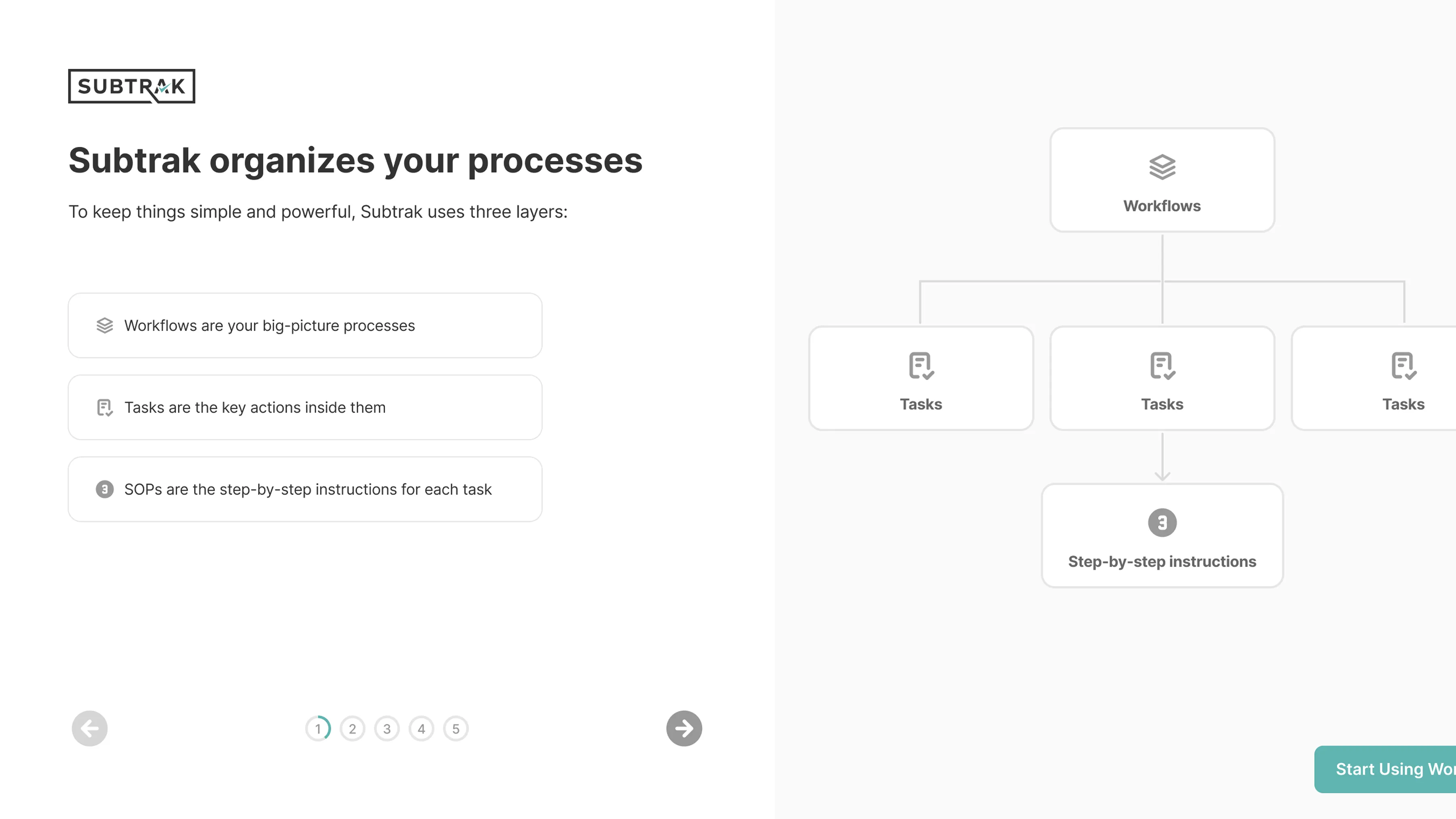
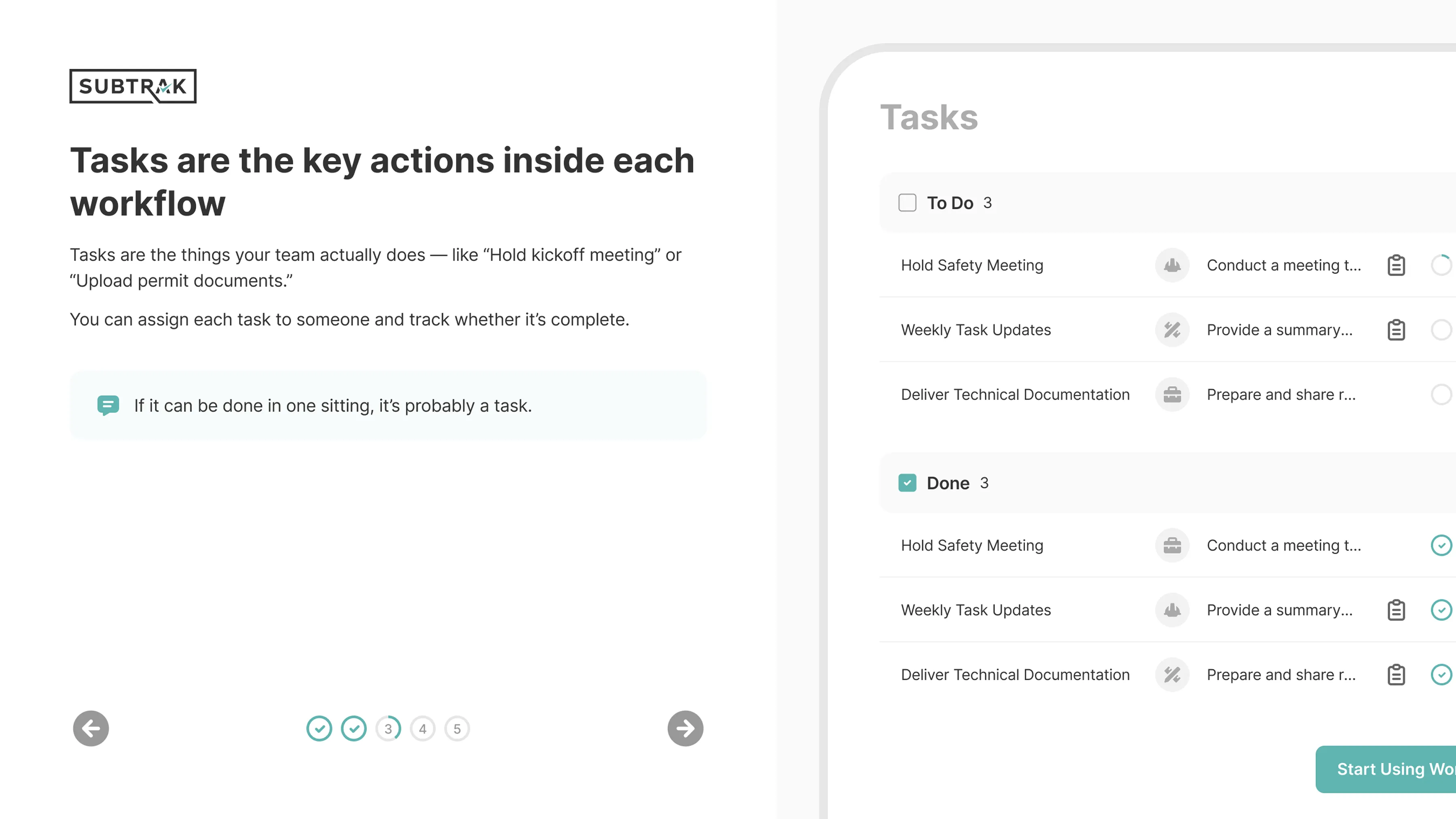
But the client wanted to go further. So we designed a second approach: instead of asking users to configure anything upfront, teach core concepts through visual slides. Three starting points, no setup required, learn by seeing rather than choosing. The client responded well to the slide layouts and direction, and this became the selected approach.
Second approach
problem area
Beyond onboarding, the product itself lacked structural clarity. Navigation, labeling, and content were inconsistent across screens. Users couldn't tell where they were, what they could do next, or how different parts connected.
DESIGN DECISION
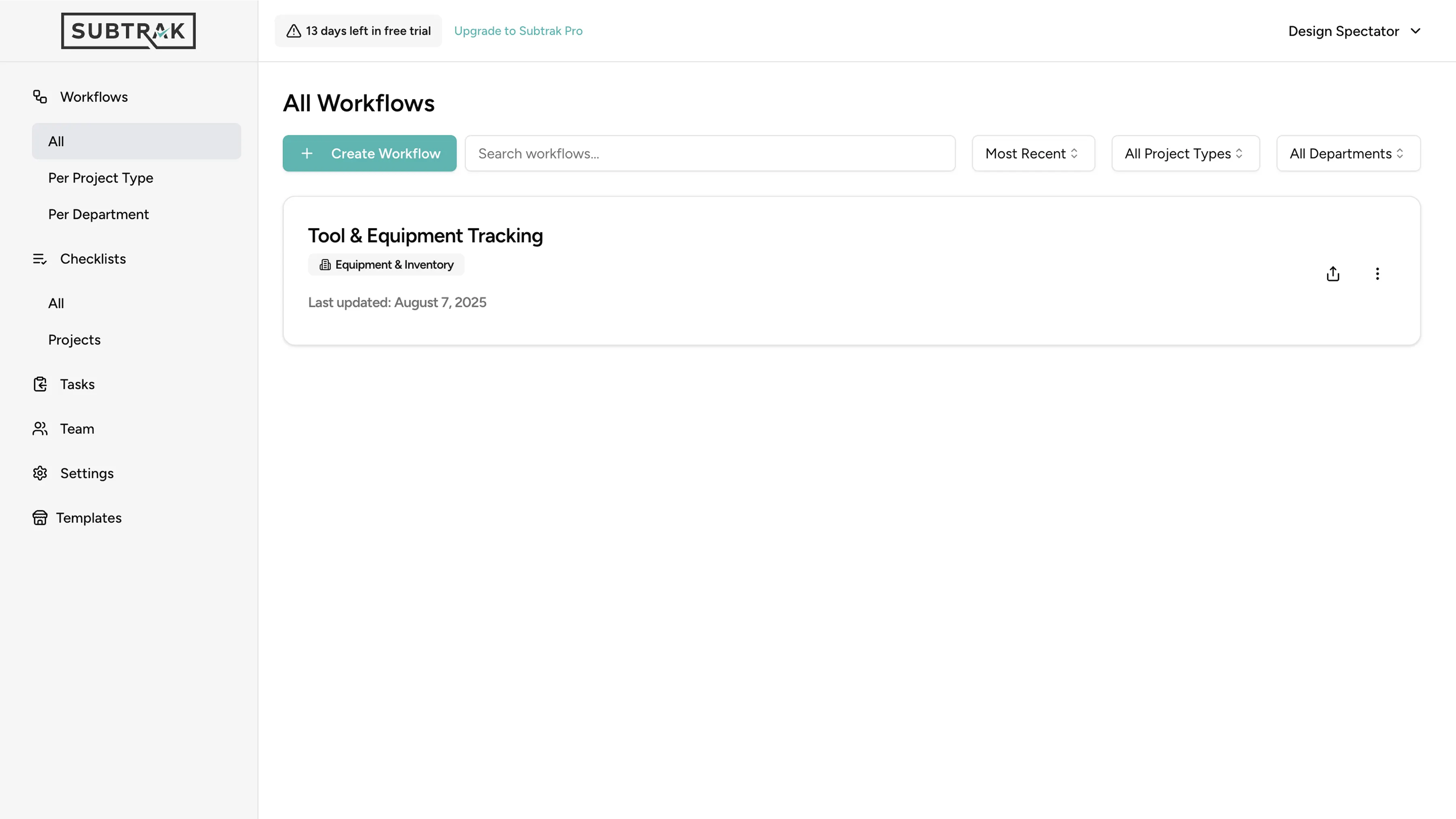
This wasn't part of the original scope. During the audit, I noticed the navigation structure was making every other problem worse. Users couldn't find features, couldn't tell where they were, and couldn't build a mental model of the product. I flagged it and proposed a restructured navigation that the client and team agreed to include in the final delivery.
The fix: a flat hierarchy where every major section is visible at the top level. No nesting, no guessing.
Before: Nested navigation, unclear hierarchy After: Flat structure, clear product map
problem area
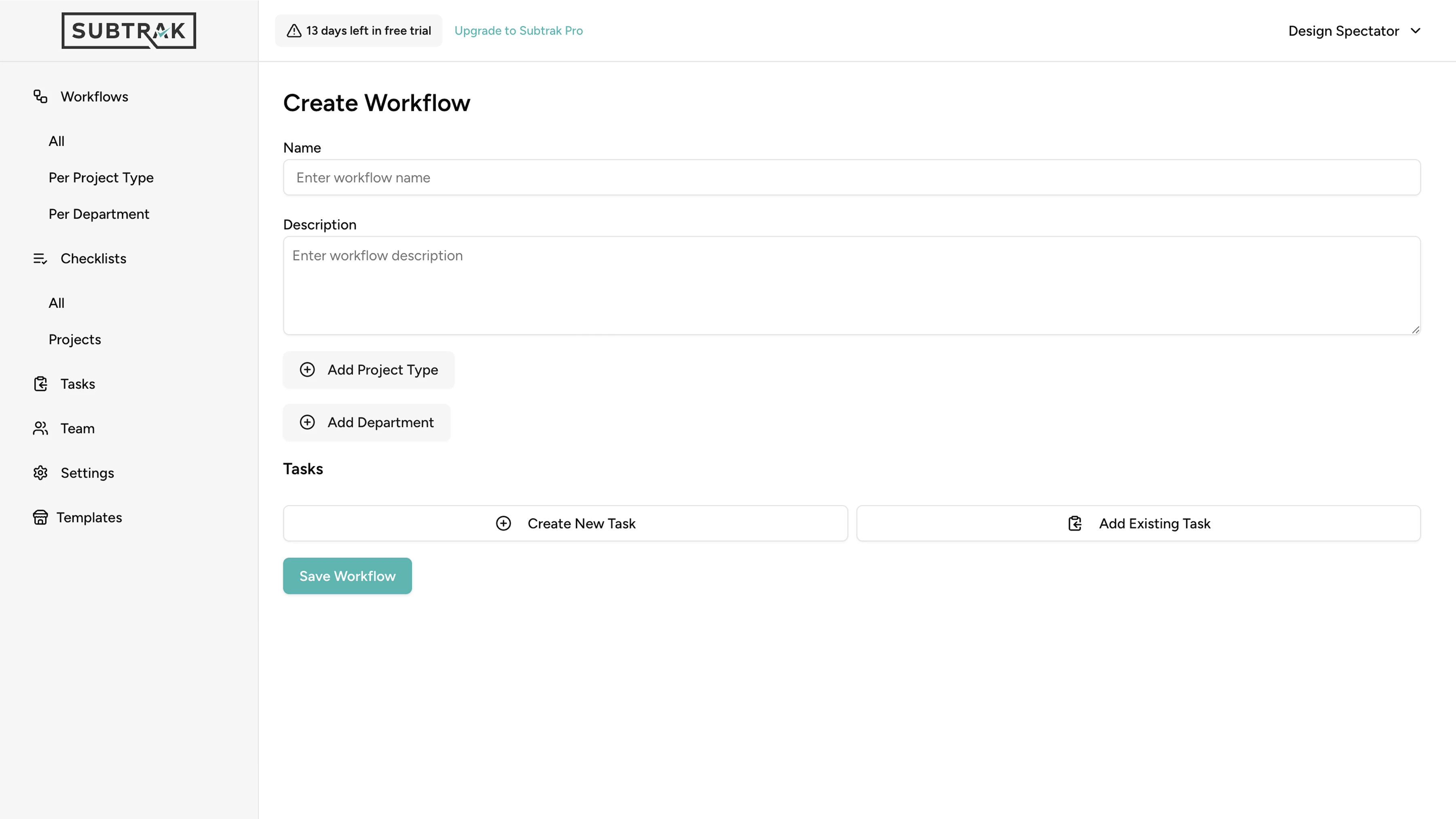
The workflow builder gave users a blank form with no structure, no guidance, and no preview. Users had to name a workflow, write a description, and add tasks without seeing what the end result would look like. There was no progress indicator, no way to preview before publishing, and no connection between creating a workflow and using it on a real project.
DESIGN DECISION
The original workflow builder was a blank form: name, description, add tasks. No guidance, no preview, no sense of progress. Users were expected to figure it out on their own.
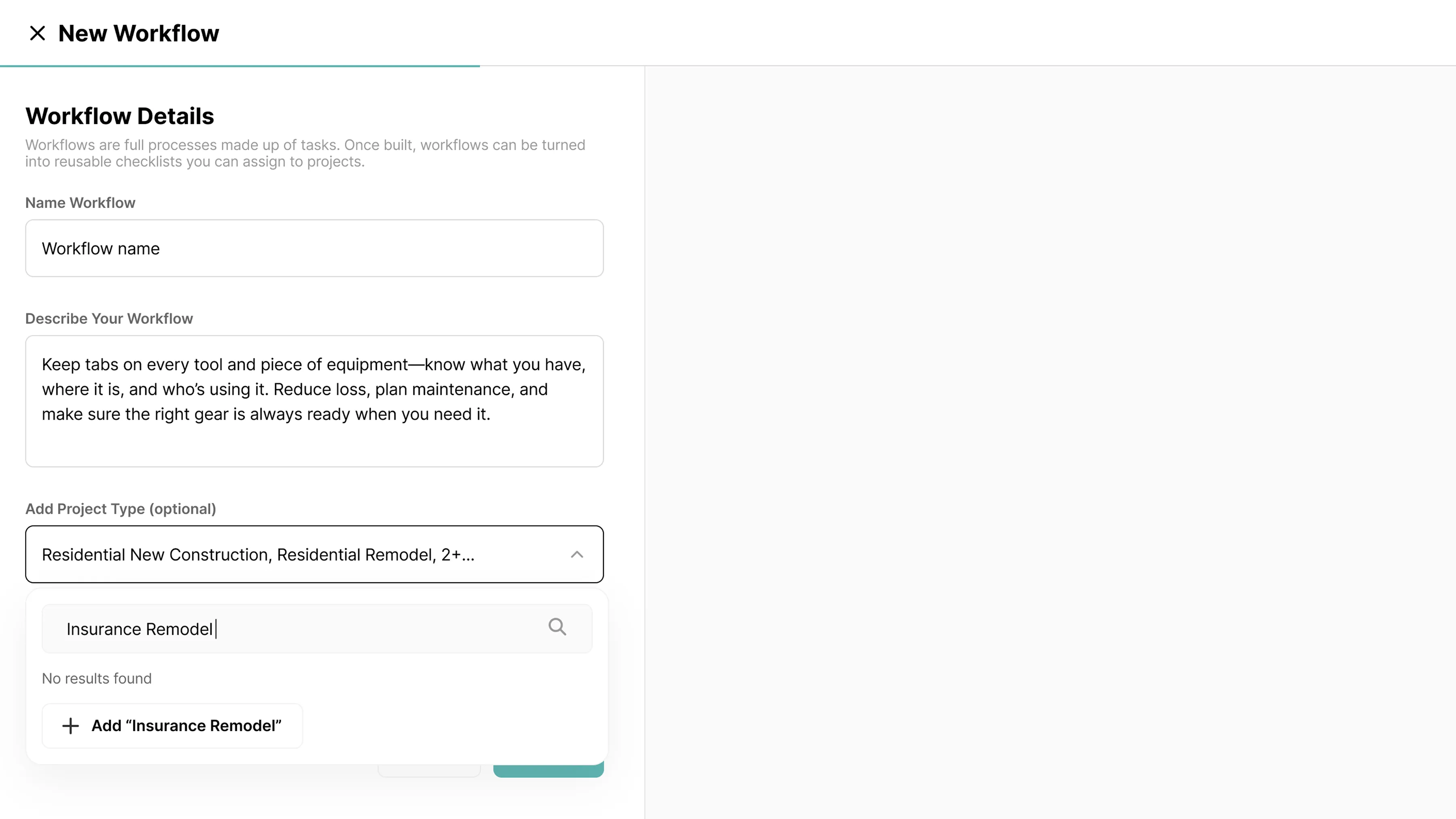
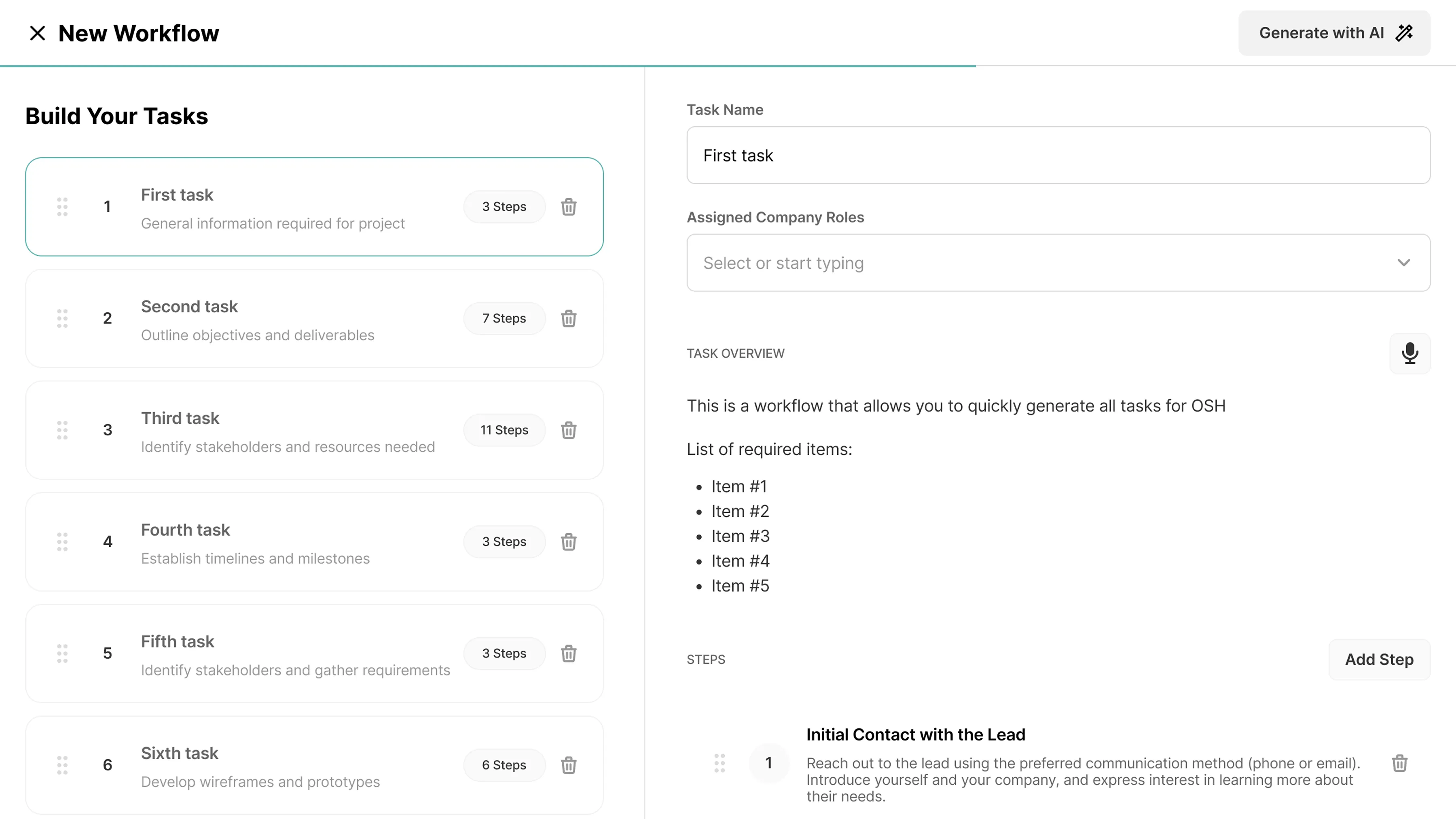
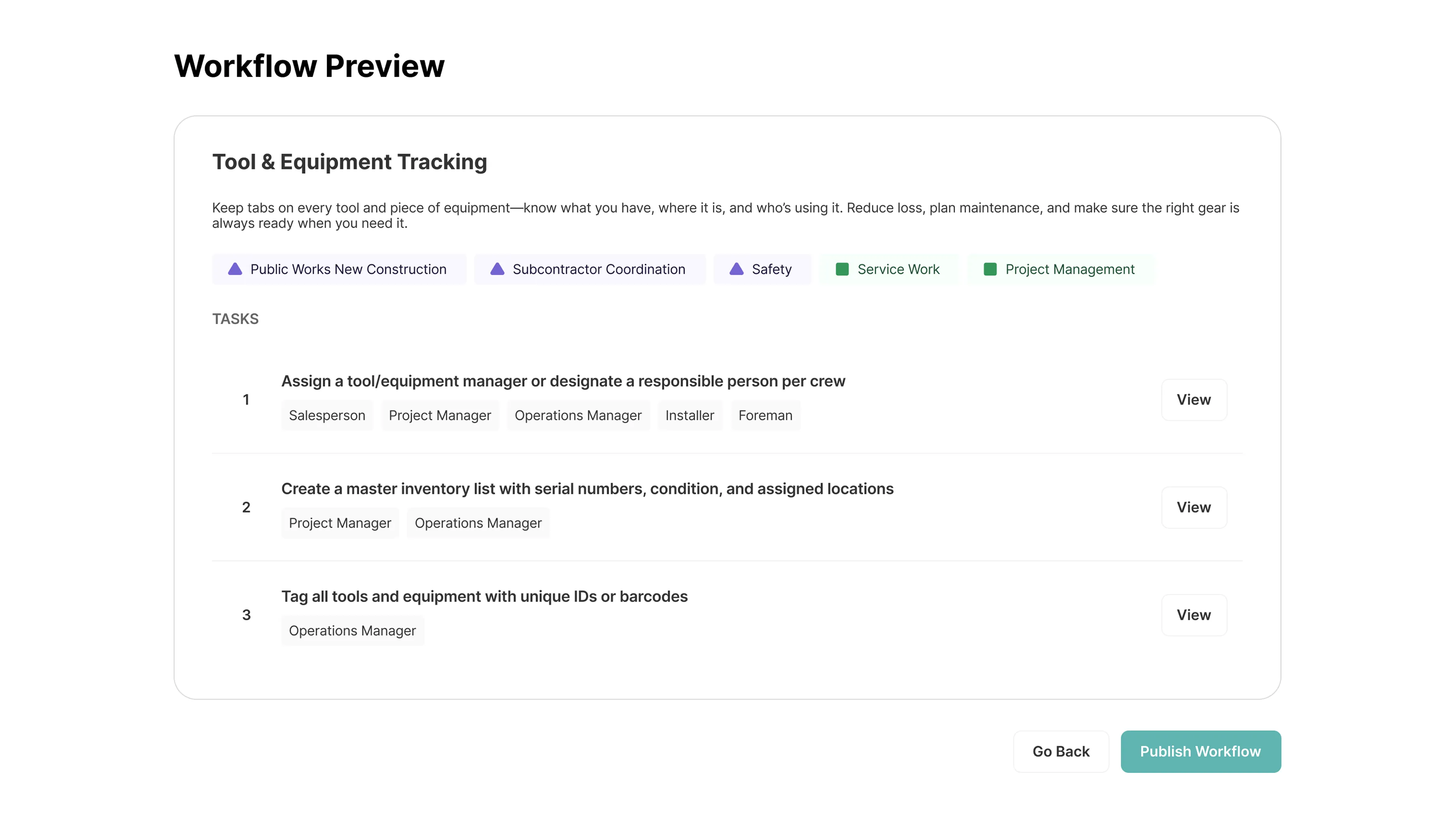
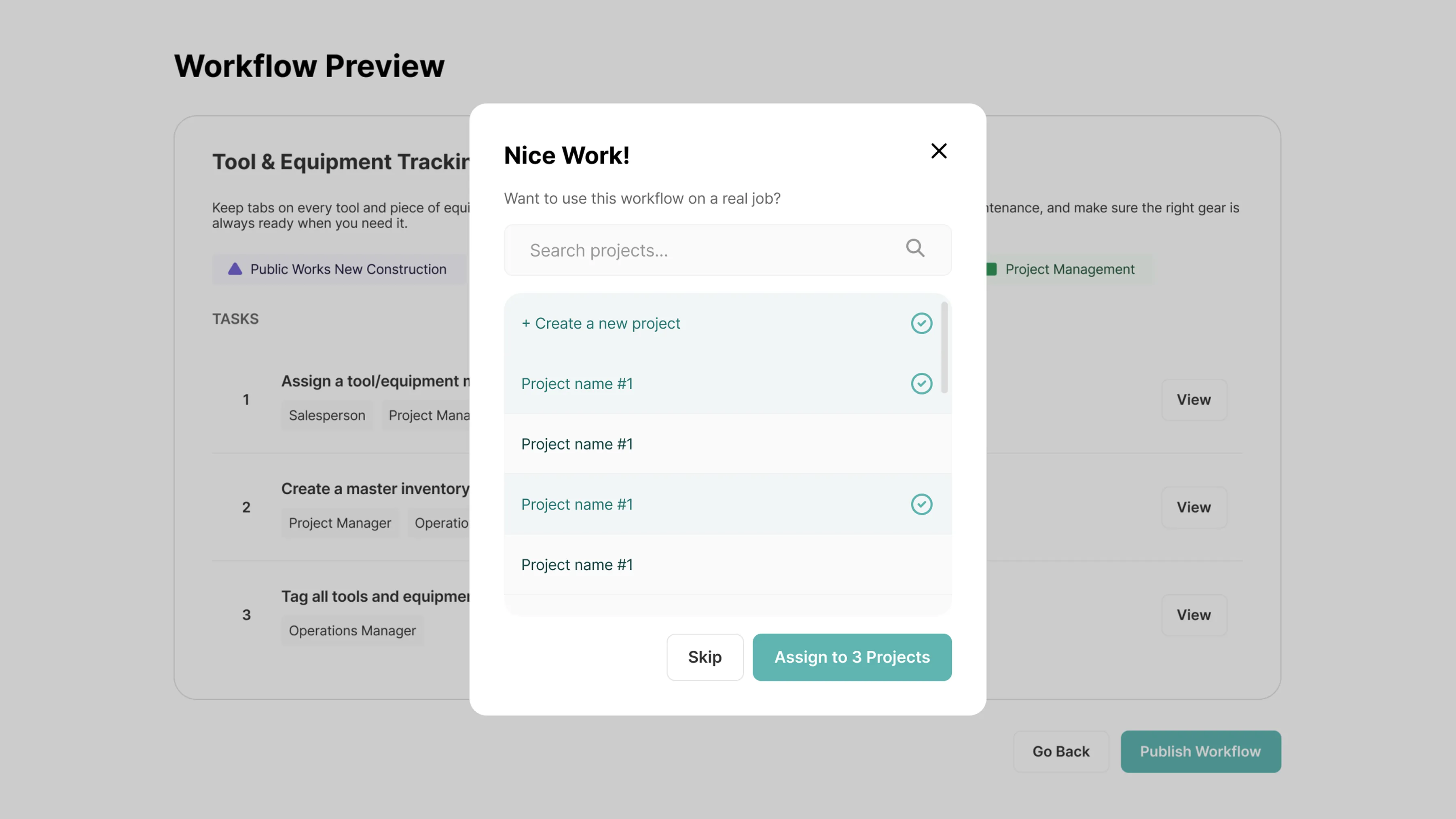
I redesigned it as a stepped flow. First, define your workflow with helpful context about what each field means. Then build your tasks with a live preview on the right so you can see what you're creating as you go. AI can generate SOPs for you. You can import existing tasks instead of starting from scratch. And when you're done, a preview screen lets you review everything before publishing. After publishing, a prompt asks if you want to assign the workflow to a real project, connecting documentation to execution in one step.
Retrospective
What I'd do differently
The onboarding teaches concepts through slides, but users don't create anything during the process. If I could revisit this, I'd have users build their first workflow as part of onboarding, so they leave setup with something real, not just knowledge. Learning by doing would have been stronger than learning by reading.